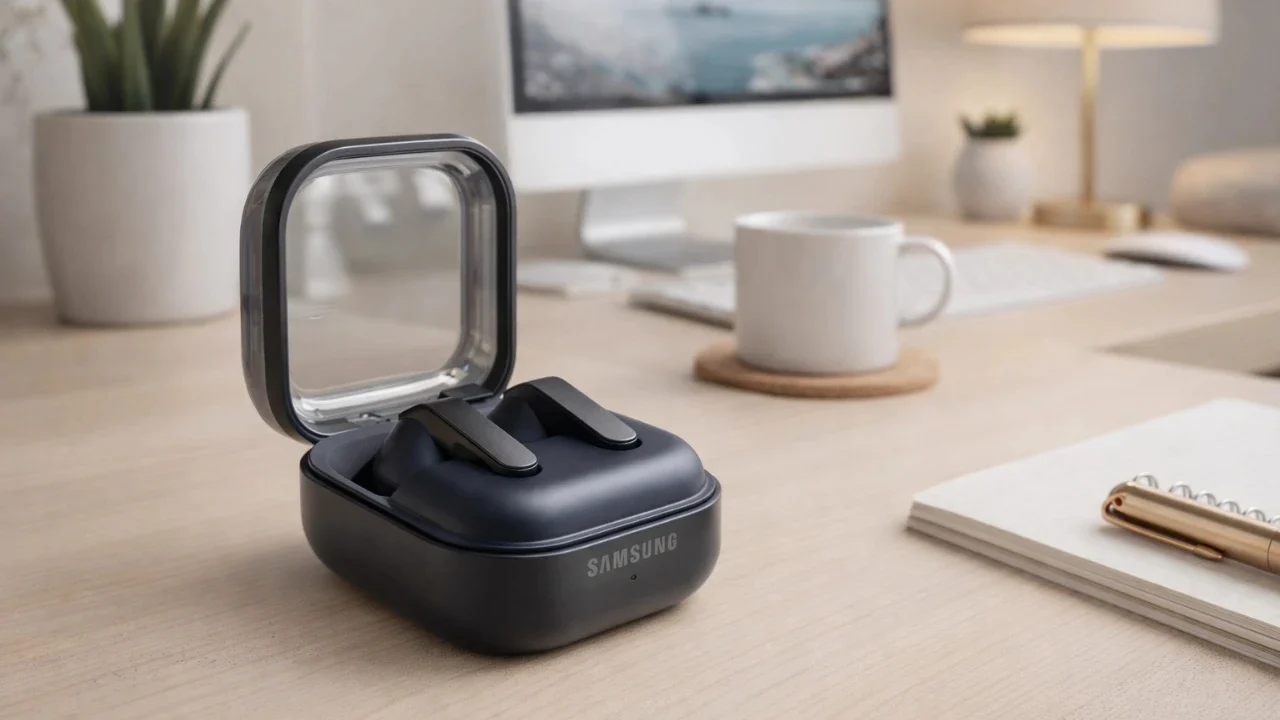
The Samsung Galaxy Buds 4 Pro are equipped with a range of features designed to enhance your audio experience. Combining advanced sound technology, intuitive controls and versatile customization options, these earbuds cater to diverse user needs. Whether you’re a music enthusiast, a multitasker, or someone who values convenience, understanding their key functionalities will help you maximize their potential. The video below from Hayls World shows us a range of tips and tricks for the Samsung Galaxy OBuds Pro 4.

Mastering Gestures and Controls
The Galaxy Buds 4 Pro offer a variety of gesture controls to simplify managing music, calls and other functions. These intuitive gestures allow you to interact with your earbuds effortlessly:
- Single pinch: Play or pause music, answer, or end calls.
- Double pinch: Skip to the next track or video.
- Triple pinch: Return to the previous track.
- Pinch and hold: Switch between noise cancellation and ambient sound modes, decline calls, or assign custom functions like activating a voice assistant.
- Swipe up/down: Adjust the volume directly from the earbuds.
- Nodding gestures: Nod to answer calls or shake your head to decline (requires activation in the settings).
These controls are designed to keep your interactions seamless and distraction-free, allowing you to stay focused on your activities without needing to reach for your phone.
Personalizing Your Experience
Customization is a key feature of the Galaxy Buds 4 Pro, allowing you to tailor their functionality to suit your preferences. The pinch-and-hold gestures can be customized to perform specific actions, such as activating Google Assistant, Bixby, or launching your favorite app like Spotify.
Additionally, the earbuds include a customizable equalizer, allowing you to fine-tune audio settings for different applications. Whether you prefer deeper bass for music streaming or clearer tones for podcasts and video playback, these options ensure your audio experience is optimized across various platforms.
Immersive Sound Enhancements
The Galaxy Buds 4 Pro are engineered to deliver premium sound quality, making them ideal for both audiophiles and casual listeners. Their advanced sound features include:
- Lossless audio playback: Enjoy high-resolution sound for richer, more detailed audio.
- Dolby Atmos: Activate this feature for immersive surround sound. Choose from modes like movie, music, or voice to match your content.
- 360 audio with head tracking: Experience spatial sound effects that adapt to your head movements, creating a dynamic and engaging listening environment.
These sound enhancements ensure a high-quality and personalized audio experience, whether you’re listening to music, watching movies, or participating in virtual meetings.
Effortless Charging and Battery Management
Keeping your Galaxy Buds 4 Pro charged is straightforward, thanks to multiple charging options:
- USB-C cable: Use the included cable for fast and efficient charging.
- Wireless charging: Place the case on a compatible charging pad for added convenience.
- Reverse wireless charging: Charge the earbuds using a compatible Samsung phone, making sure you’re never without power on the go.
The charging case is equipped with LED indicators to display battery levels: green for fully charged, yellow for medium charge and red for low battery. A flashing red light signals the need for immediate charging. Pairing the earbuds with a new device is also simple, just open the case lid, press and hold the button for five seconds and wait for the LED to blink, indicating pairing mode.
Finding and Securing Your Earbuds
Losing your earbuds can be inconvenient, but the Galaxy Buds 4 Pro include tools to help you locate them quickly. The “Find My Device” app allows you to ring the earbuds if they’re nearby or receive notifications when they’re left behind. These features provide added security and peace of mind, especially when you’re on the move.
Additional Features for Versatility
The Galaxy Buds 4 Pro go beyond standard functionality with several innovative features that enhance their versatility:
- Ambient sound amplification: Amplify surrounding sounds through accessibility settings, making it easier to stay aware of your environment.
- Home screen widget: Add a widget to your phone’s home screen for quick access to controls and battery status.
- 360 audio recording: Use the earbuds to capture immersive audio when recording videos with your phone’s camera app.
These features make the earbuds suitable for a wide range of uses, from improving accessibility to enhancing content creation.
Maximizing Your Galaxy Buds 4 Pro
The Samsung Galaxy Buds 4 Pro are more than just a pair of earbuds, they’re a comprehensive audio solution designed to integrate seamlessly into your daily life. By mastering their intuitive gestures, customizing settings and using advanced sound enhancements, you can unlock their full potential. Practical tools like “Find My Device” and reverse wireless charging add convenience, while immersive sound features ensure a premium listening experience. Whether you’re an audiophile, a multitasker, or someone who values versatility, these earbuds are designed to meet your needs and elevate your audio experience.
Enhance your knowledge on Samsung Galaxy Buds 4 Pro by exploring a selection of articles and guides on the subject.
Source & Image Credit: Hayls World
Disclosure: Some of our articles include affiliate links. If you buy something through one of these links, techschimp Gadgets may earn an affiliate commission. Learn about our Disclosure Policy.