

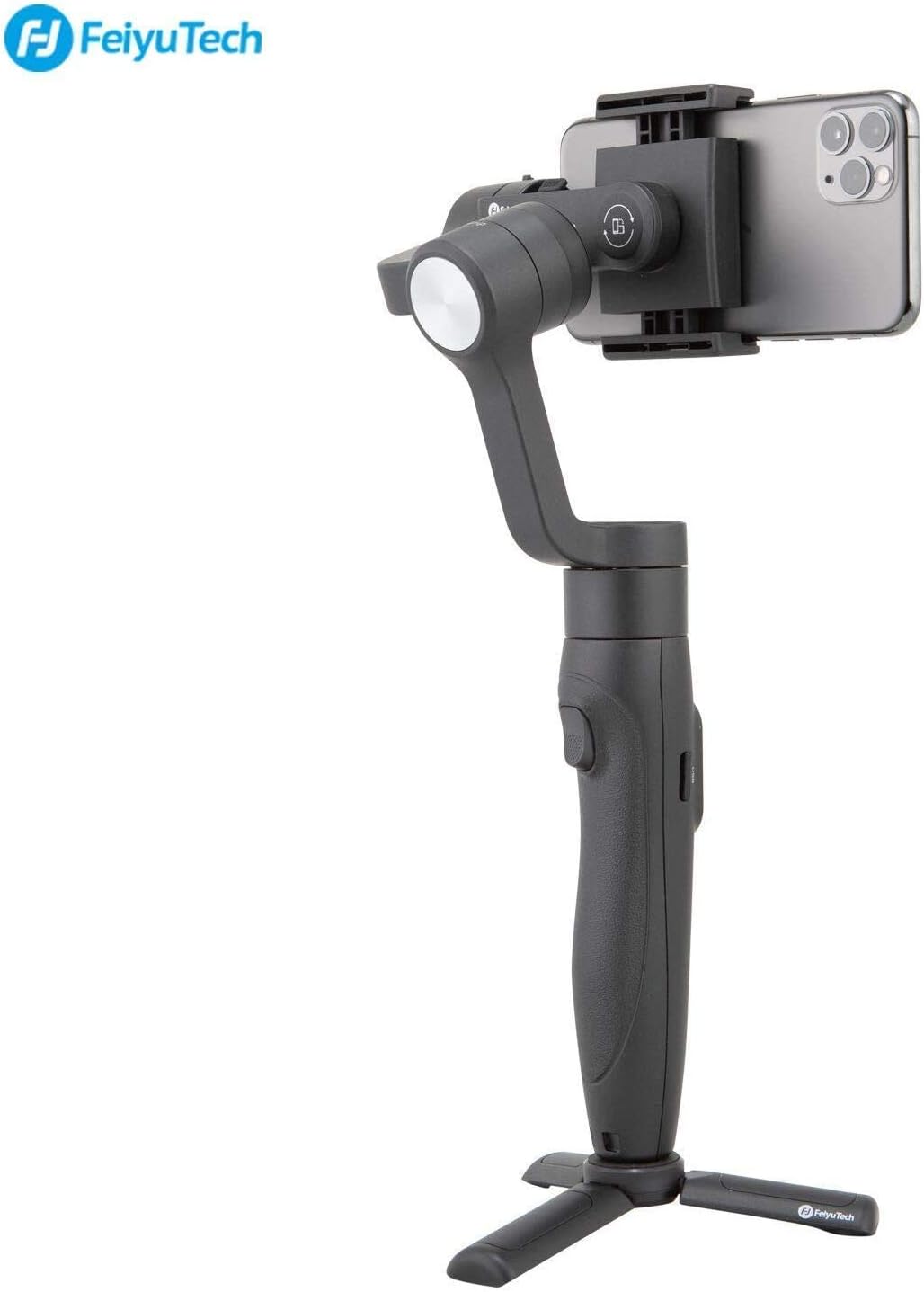
3-Axis Gimbal Stabilizer for iPhone 12 Xs Max XR X 8 7Plus 6 Smartphone Vlog Youtuber Samsung Galaxy Note10/10+ S10+ S9 POV Hitchcock Panorama Face Object Tracking Timelapse FeiyuTech Vimble 2S
$89.00


Product description

CAUTION:
Set Up Instruction: Remove your phone case if any, do Unlock 2 motor locks, then BALANCE the gimbal with phone BEFORE powering on.There are lots of FeiyuTech Official VIDEO TUTORIALs on YOUTUBE that will help you master the gimbal.NOT all functions are available for Android phones. FeiyuTech has been improving Feiyu On APP, Android and iOS, please always keep the APP update-to-date.Face Tracking can only work when in Landscape Mode, please do turn off the portrait mode lock & frame face/ objects while using face tracking functions.Except “Motion Mode”, for other modes, the stabilizer will have a rotating dead-zone between 1° and 7°, the gimbal arm sometimes may pan or drift, after connecting to Feiyu ON app, just click “setting” icon–choose “Motion”–click “Save” to reduce or avoid such case.Vimble 2S Doesn’t support Action Cameras. And Please don’t replace the data line to charge the vimble 2s, don’t use Quick Charge.Vimble 2S Doesn’t work in combination with wireless Mic. If you do need the mic, earphone is recommended.The built-in extension rod extends manually, not automatically. Users over 10 years old can pull out and contract the extension rod easily
FAQ:
1, Power light keeps blinking red/gimbal beeps/App says overload/motors get hot and gimbal soon turns off ? The gimbal won’t turn when button is pushed?
Vimble 2S has 2 motor locks(1 on tilt axis, 1 on roll axis, the panning axis is without motor lock, illustrated on the following picture), please unlock all of them and do mount& balance your phone before powering vimble 2s on.The red light flashes quickly, also indicating low battery probably;
2, Smartphones doesn’t seem to balance well on Vimble 2S?
Check the compatibility list before purchasing;Mount & Balance smartphones according to guidebook or official tutorial videos.
3, Bluetooth lost connection?
Rightly connect according to the guidebook or official Tutorial Videos we uploaded.Forget previous bluetooth record and Reconnect. Wireless connection occasionally breaks under complex electromagnetic environment like large exhibitions;
4, Gimbal battery doesn’t hold charge/ cannot be charged?
If Vimble 2S is turned on without unlocking 2 motor locks or balancing phones, it will be overloaded and then automatically shut down due to self-protection machanism. Users will naturally think that the battery is defective after repeating false operations. So please read Guidebook or Watch FeiyuTech Official Tutorial videos on Youtube.

——“VIMBLE-2S: Smartphone Gimble with 18CM Extension”——Unlock 2 motor locks First before using Vimble 2S
Compatibility(phone width is between 57-84mm):
For iPhone:compatible with iPhone 12/12 mini/11/Xs Max/Xs/XR/X/SE/8 Plus/8/7 Plus/7/6 Plus/6S/6/5s,ect.For Android: compatible with HUAWEI P20 Pro/P9/mate10/Honor V20/Honor 10/Nova4/Nova 3e,ect. compatible with Samsung Galaxy Note 10/Note 10+/Note 8/S7/S8/S8+/S9/S9+/S10/S10+,ectcompatible with MI 9/8, for Redmi 6 Pro,ect. for OPPO find X/R9s, for vivo NEX/X21/X23/X27/Y85,ect. compatible with Smartisan Nut Pro2, ect; for One plus 3T,ect; for Google Pixel3 ect.
Main Features:
Max payload: The landscape mode is 210g. The portrait mode is 200g.180mm Pole design: The extendable rod provide a super high view shooting / long-distance selfie shooting/stabilized shooting.Sliding the cross arm: It can easily balance different smart phones.Support bulit-in camera: You can take pictures without connecting the APP.Customize the function of trigger/function button to redefine its function individually.
——Unlock 2 Motor Locks before powering vimble 2S on——

Quick Switching Among Horizontal and Veritical Shooting
Method1(power off the gimbal first):manually rotate the smartphone holder left or right.
Method 2: just refer to part6 on the quick start guidebook: 1, Hold the gimbal horizontally, 2, the tilt axis must be on the right side, 3, press and hold the trigger button, then single tag function button to switch between landscape and portrait mode

18CM Long Extension Pole
18CM long extension pole gives smartphone a wider frame and the beautiful scenery can be framed easily.When connecting with the app”Feiyu On”, front camera or rear camera can be switched by triple-clicking Bluetooth shutter.

Space Vision, Ultimate POV Mode
Ultimate POV mode is added to realize 360° dead angle free transformation and easier rotation follow. Even the complicated and changeable footwork can be easily handled, and more camera angles or fancy footwork can be achieved.
——Feiyu ON app–“Multiple Shooting Modes to Switch, Enhance your Creacitivity and Professionality”——

Panorama
ultra-wide panorama only works when picture shooting, please switch to picture shooting on the Feiyu ON app, then click the “normal photo”icon beside it, select “ultra-wide angle”.

Hitchcock Dolly Zoom
Hitchcock Dolly Zoom only works when video shooting, please switch to video shooting on the Feiyu ON app, then click the “normal video “icon beside it, select “Dolly Zoom”.

Time-Lapse
Time-Lapse only works when video shooting, please switch to video shooting on the Feiyu ON app, then click the “normal video “icon beside it, select “Track timelapse” or “Static timelapse”.

Face Object Tracking
The tracking speed is TOO slow? then please click “setting” icon on Feiyu ON app–choose “Advanced setting”–“Joystick Settings”–adjust the “tilting speed” and the “panning speed” from “slow” to “fast” (or the speed you need)– click “Save”
Mounting & Well Balancing smartphones according to the guidebook & Official Tutorial Videos

Feiyu ON APP
Connecting Feiyu ON APP for face/ object tracking, Hitchcock dolly zooming,Motion-timelapse setting,Overlapping image,light-tracking,9 palace block box shooting/ultra-wide angle panorama setting,beauty setting,video and filter editing editing, power displaying, virtual remote control, firmware upgrade, setting parameters,change working modes, and other functions.

Motor Lock Design–Unlock before using
Balance Before Power ON: Vimble 2S has tilt & roll axis motor lock, please unlock them before mounting smartphone.The new physical motor lock can fix the position of the axis, which is convenient for installation and balancing, and also safer and better fro packing and carrying.

Long Battery Life
Support the gimbal to work up to 10 hours continuously. The built-in Micro USB Port allows you to charge the phone via gimbal. With micro USB interface, it supports direct charging of mobile power bank. Both can work at the same time, shoot whenever and wherever you want.

FeiyuTech Vimble 2S
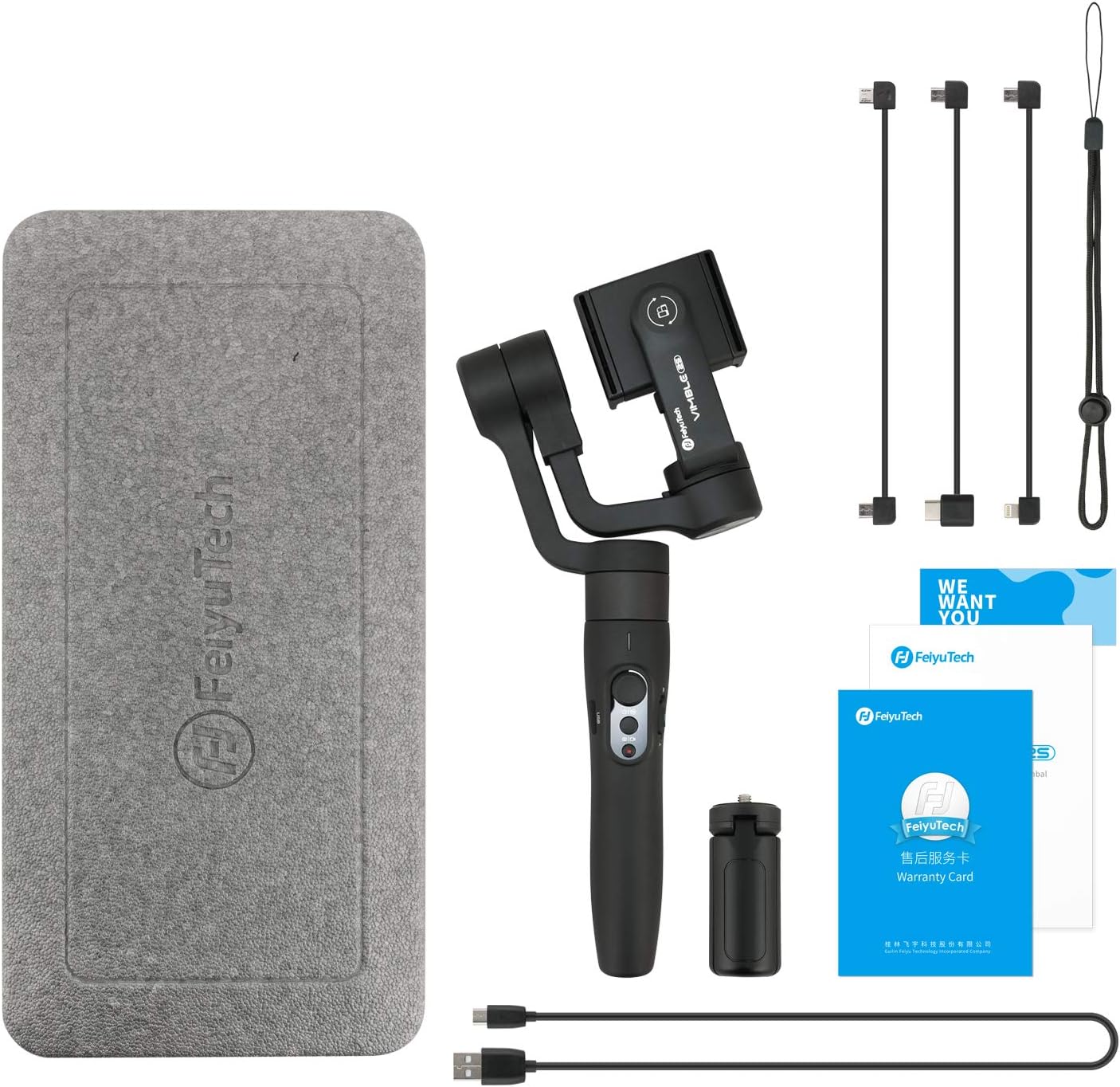
 what’s in the Package?
Vimble 2S*1; Mini Tripod *1; Portable bag*1Micro USB cable *1 (for charging and updating FM); Phone charging cable*3(Micro-Micro,Micro-Type C,Micro-Lightning);Anti-lost rope *1
FeiyuTech Vimble 2S Handheld Gimbal Stabilizer for Smartphones
Unlock 2 Motor Locks, Mount and Rightly Balance Smartphones before powering on Vimble 2S
Specification:
Net Weight: 428g.Titling Angle: 320°; Rolling Angle: 320°; Panning Angle: 320°Battery type: 7.4 V, 1300MAH, 9.62 Wh, Built-in Rechargeable Battery. Battery could be charged by power bank with a USB cable when using it.Charging time: ≥ 2h,recommending using 5V/2A adapter for charging battery (quick charger is banned from charging).Material: PC, PA6 and other materials which are of high-strength, doing best in temperatures within -45 to 135 degrees Celsius.
–Warm Reminder: please RELEASE 3-Axis locks first( 1 on tilt axis, 1 on roll axis, the panning axis is without motor lock), then MOUNT & BALANCE the phone before powering on the gimbal. The gimbal can’t work rightly without phones mounted. Guidebook and official tutorial videos will help you master Vimble 2S.
Greater Compatibility Mobile Gimbal Stabilizer: Vimble 2S is Compatible with iPhone 12/11/ Xs Max/Xs/XR/X/8 Plus/8/7 Plus/7/6 Plus/6S/6/5s, Android Samsung Galaxy Galaxy Note 10/Note 10+/Note 8/S7/S8/S8+/S9/S9+/S10/S10+, HUAWEI HonorV30/V20/20 series, XIAOMI and other Android Smartphones
Direct Control to Native Phone Cameras & Quick Switching among Horizontal and Veritical Shooting: Vimble 2S supports direct control to native iOS and Android phone cameras for photo and video taking. New Design of smartphone’s mount, successfully achieving quick Switching among Horizontal and Veritical Shooting.
18CM Extendable Rod(Extending manually)& More Shoting Modes Phone Stabilizer: 18cm long extension pole design gives more enjoyment when taking selfies and group photos. Vimble 2S supports 360°POV, Face Object Tracking, Hitchcock Zoom, Panorama, Motion Timelapse, etc.
Long Battery Life Phone Gimbal: Support the gimbal to work up to 10 hours continuously. The built-in Micro USB Port allows you to charge the phone via gimbal. With micro USB interface, it supports direct charging of mobile power bank. Both can work at the same time, shoot whenever and wherever you want.
User Reviews
Be the first to review “3-Axis Gimbal Stabilizer for iPhone 12 Xs Max XR X 8 7Plus 6 Smartphone Vlog Youtuber Samsung Galaxy Note10/10+ S10+ S9 POV Hitchcock Panorama Face Object Tracking Timelapse FeiyuTech Vimble 2S”
Related Products


$89.00


There are no reviews yet.