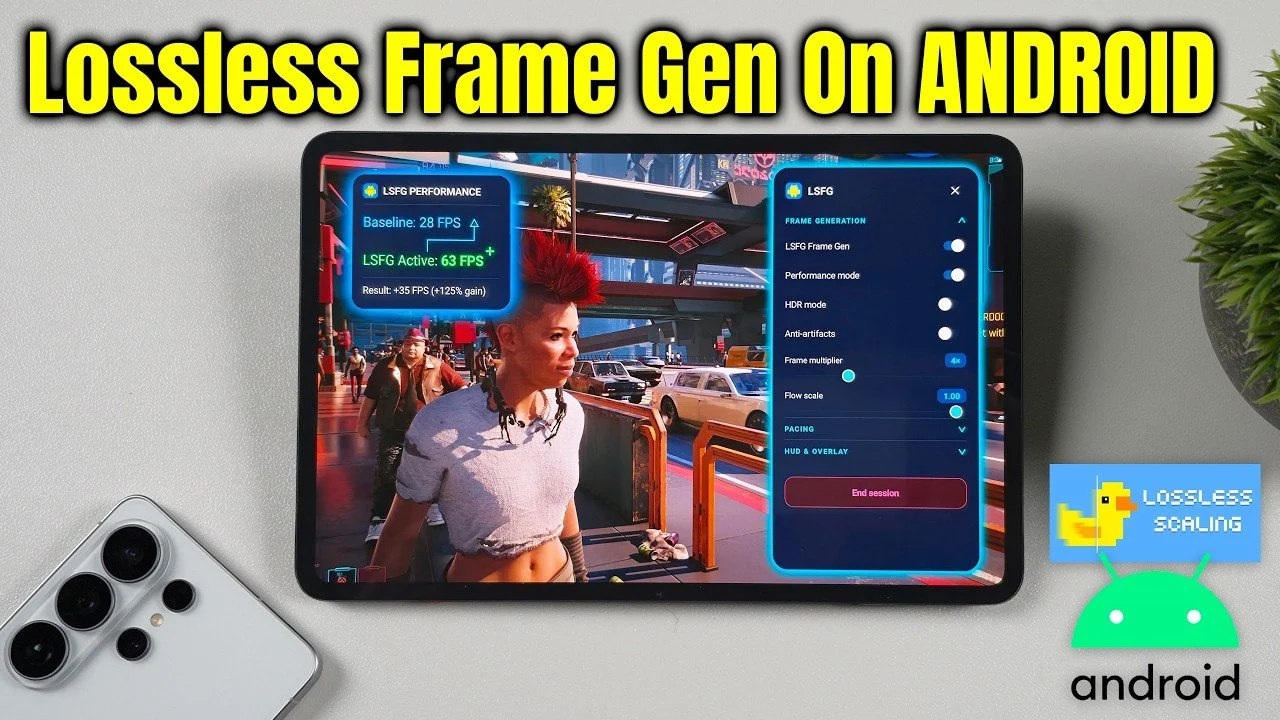
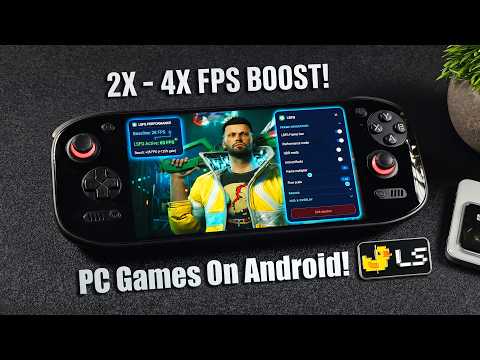
Lossless frame generation is now available on Android, allowing smoother gameplay and improved visual quality for mobile gaming. According to ETA Prime, this feature, once exclusive to high-end gaming systems, allows Android devices to better handle demanding titles such as Cyberpunk 2077. By using lossless scaling, users can generate additional frames to enhance fluidity, even on mid-range hardware. To achieve the best results, it is important to understand the setup process and adjust settings based on your device’s specifications.
Discover how to configure lossless scaling on Android, including transferring necessary files and fine-tuning frame multipliers for optimal performance. Learn about compatibility factors, such as how newer processors like the Snapdragon Elite Gen 5 excel in handling this feature, while older devices may encounter challenges like visual artifacts. Additionally, explore how platforms like GameHub and GameNative support the integration of PC games with Android, offering new ways to expand your gaming experience.
Understanding Lossless Scaling and Frame Generation
TL;DR Key Takeaways :
- Lossless scaling with frame generation brings smoother gameplay and PC-quality visuals to Android devices, making graphically demanding games like Cyberpunk 2077 more accessible to mobile gamers.
- The technology enhances visual fluidity and reduces stutter, offering significant performance improvements even on mid-range Android devices.
- Device compatibility varies, with high-end processors like Snapdragon Elite Gen 5 delivering optimal performance, while older devices may face artifacts or inconsistent frame pacing.
- Key features include HDR mode for improved color accuracy, anti-artifacts mode to reduce visual distortions and frame pacing optimization for smoother gameplay.
- Challenges such as artifacts and frame pacing issues persist, especially on lower-end devices, but ongoing refinements aim to improve performance, compatibility and visual quality over time.
Lossless scaling enhances gameplay by generating additional frames, resulting in improved visual fluidity and reduced stutter. For Android users, this means smoother frame rates and better performance, even on mid-range devices. By emulating PC-quality visuals, games like Cyberpunk 2077 become more accessible to mobile gamers, offering a richer and more immersive experience.
This technology is particularly beneficial for users seeking to bridge the gap between PC and mobile gaming. It allows Android devices to handle graphically intensive titles with greater ease, making it a valuable tool for gamers who demand high-quality visuals and performance on the go.
Device Compatibility: What to Expect
Lossless scaling is compatible with a wide range of Android devices, but its performance varies depending on hardware capabilities. Devices equipped with newer, high-performance processors, such as the Snapdragon Elite Gen 5, can handle higher frame multipliers with ease. Conversely, older or less powerful devices, including those with Snapdragon 600 series processors, may encounter artifacts or inconsistent frame pacing.
- High-end devices deliver optimal performance with minimal visual inconsistencies.
- Mid-range and older devices may require lower scaling settings to maintain stability.
To achieve the best results, users should experiment with different settings to find the ideal balance between performance and visual quality for their specific device.
Expand your understanding of Android gaming with additional resources from our extensive library of articles.
Setting Up Lossless Scaling on Android
Implementing lossless scaling on Android involves a straightforward setup process. Follow these steps to get started:
- Purchase the lossless scaling software on Steam.
- Transfer the required DLL file from your PC to your Android device.
- Download and install the APK file, available on GitHub, for standalone use.
Once installed, users can adjust the frame multiplier settings to match their device’s capabilities. While the software supports scaling up to 8x, most devices perform optimally at 2x or 4x. For the smoothest experience, it is recommended to launch the game first and then enable the scaling feature.
Key Features and Performance Settings
The lossless scaling software offers several advanced features designed to enhance the gaming experience. These include:
- HDR Mode: Improves color accuracy and brightness for compatible games, delivering a more vibrant visual experience.
- Anti-Artifacts Mode: Reduces visual distortions, though it may not completely eliminate them on all devices.
- Frame Pacing Optimization: Enhances frame rate consistency, making sure smoother gameplay under most conditions.
While these features significantly improve performance, users may still encounter visual inconsistencies such as banding or artifacts, particularly on lower-end devices or when using higher scaling multipliers. Adjusting settings and allowing specific modes can help mitigate these issues.
Integration with GameHub, GameNative and WinLater
Lossless scaling integrates seamlessly with popular Android gaming platforms like GameHub, GameNative, and WinLater. These platforms simplify the process of accessing PC game libraries on Android devices, enhancing compatibility and streamlining the gaming experience. For optimal results, it is recommended to launch games through one of these platforms before allowing the scaling feature.
By combining lossless scaling with these platforms, users can enjoy a more cohesive and efficient gaming setup, making it easier to play demanding PC games on mobile devices.
Challenges and Limitations
While lossless scaling represents a significant advancement, it is not without its challenges. Some of the most common issues include:
- Artifacts and Visual Inconsistencies: These are more likely to occur on older or less powerful devices, particularly at higher scaling multipliers.
- Frame Pacing Issues: Although improved, frame pacing can still be inconsistent under certain conditions, affecting gameplay smoothness.
These limitations highlight the need for further optimization as the technology evolves. Users should be prepared to experiment with settings and modes to achieve the best possible performance on their devices.
The Road Ahead for Lossless Scaling on Android
As developers continue to refine lossless scaling technology, users can anticipate improvements in performance, compatibility and visual quality. While the current implementation is not without its flaws, it represents a significant step forward for Android gaming, allowing users to enjoy demanding PC games with greater ease and accessibility.
By understanding the setup process, exploring device compatibility and using the available features, Android users can unlock the full potential of lossless scaling. This technology bridges the gap between PC and mobile gaming, offering a smoother, more immersive experience for gamers who demand high-quality performance on their Android devices.
Media Credit: ETA PRIME
Disclosure: Some of our articles include affiliate links. If you buy something through one of these links, techschimp Gadgets may earn an affiliate commission. Learn about our Disclosure Policy.

![Apple Watch vs WHOOP: Here’s what I learned after 60 days wearing both [Video]](https://shopvante.com/wp-content/uploads/2026/05/fernando-336x220.jpg)