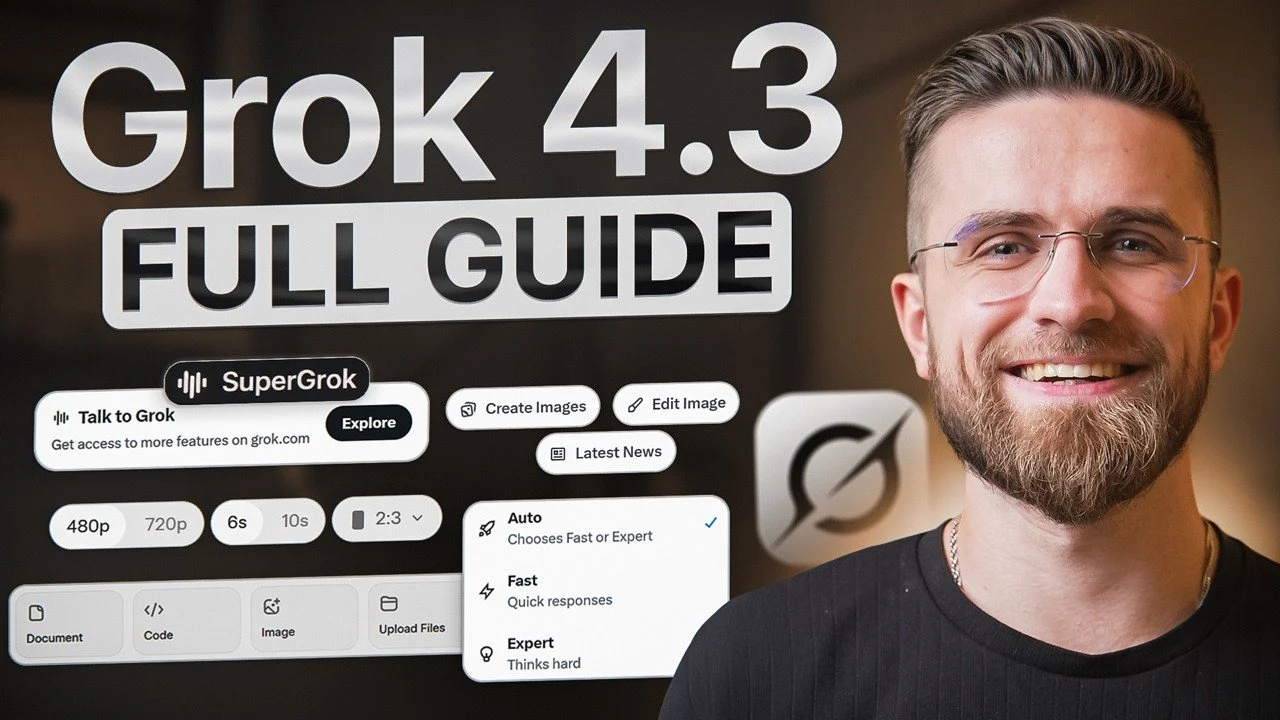
Grok 4.3 offers a comprehensive platform for tackling a wide range of professional tasks, from automating repetitive processes to managing complex projects. In this hands-on walkthrough, AI Master introduces the essentials of getting started with Grok 4.3, including how to set up your account, adjust preferences like memory for persistent context retention and explore its various operational modes. For instance, the “Expert Mode” is highlighted as a go-to option for tasks requiring in-depth analysis and decision-making. These foundational steps ensure that users can personalize the platform to align with their unique workflows and objectives.
This guide will help you navigate key features and practical applications of Grok 4.3. You’ll gain insight into using the “Projects” feature to organize tasks and streamline collaboration, learn how to automate recurring prompts for improved efficiency and explore advanced capabilities like generating structured outputs or executing Python scripts directly within the interface. By the end, you’ll have a clear understanding of how to integrate Grok 4.3 into your daily routines to enhance productivity and achieve your goals.
Getting Started with Grok 4.3
TL;DR Key Takeaways :
- Grok 4.3 is a innovative AI platform designed to enhance productivity, streamline workflows and handle complex tasks with precision, offering tailored features for modern professionals.
- It includes multiple operational modes (e.g., Auto, Fast, Expert, Heavy) to optimize performance for various tasks, from general-purpose to resource-intensive projects.
- Advanced capabilities like structured outputs, Python code execution and long-context handling empower users to manage data, execute scripts and analyze extensive content efficiently.
- Multimedia tools enable image and video generation, image analysis and multi-scene visual project creation, making it ideal for content creators and marketers.
- Features like role-based prompting, task automation and voice interaction enhance versatility, allowing tailored outputs, hands-free use and improved workflow integration.
Before exploring the advanced features of Grok 4.3, setting up your account and personalizing the platform is essential. The intuitive web interface ensures a seamless onboarding experience, allowing you to start quickly and efficiently. Follow these steps to get started:
- Sign Up: Register using your email or link an existing service like X Premium for streamlined access.
- Customize Settings: Adjust preferences such as allowing memory for persistent context retention, allowing Grok to remember key details across sessions.
- Explore Modes: Familiarize yourself with Grok’s operational modes to align its performance with your specific requirements.
By completing these steps, you can ensure that Grok 4.3 is optimized for your unique needs, setting the stage for a productive experience.
Core Features of Grok 4.3
Grok 4.3 is equipped with a diverse range of features designed to address various professional challenges. Its capabilities are structured to provide flexibility, efficiency and precision in handling tasks.
Operational Modes
Grok 4.3 offers multiple operational modes, each tailored to specific use cases. These modes allow you to optimize performance based on the complexity and nature of your tasks:
- Auto Mode: Balances speed and depth, making it ideal for general-purpose tasks.
- Fast Mode: Prioritizes speed for lightweight tasks with minimal processing needs.
- Expert Mode: Designed for complex reasoning, decision-making and in-depth analysis.
- Grok 4.3 Beta: A high-level reasoning mode suited for advanced research and experimental tasks.
- Heavy Mode: Handles resource-intensive tasks such as large-scale data processing with enhanced computational power.
Project Management
The “Projects” feature allows you to organize related chats and shared contexts into cohesive units. This functionality is particularly useful for managing ongoing tasks, facilitating team collaboration and maintaining clarity in complex workflows.
Task Automation
Automate repetitive or one-time prompts to receive updates, insights, or reminders without manual intervention. This feature ensures that critical tasks are completed on time, enhancing efficiency and reducing oversight.
Here are more guides from our previous articles and guides related to Grok that you may find helpful.
Advanced Capabilities
Grok 4.3 extends beyond basic AI functionalities, offering advanced tools that cater to specialized professional needs. These capabilities empower users to handle structured data, execute code and process extensive contexts with ease.
Structured Outputs
Generate JSON-ready data for seamless integration with tools like spreadsheets, databases, or APIs. This feature is invaluable for professionals working with structured datasets, allowing efficient data management and analysis.
Code Execution
Write and execute Python scripts directly within the chat interface. This capability allows you to perform data analysis, create visualizations, or test algorithms without switching between platforms, saving time and effort.
Long Context Handling
Process large documents, datasets, or codebases effortlessly. Grok 4.3’s ability to retain and analyze extended contexts makes it a powerful tool for research, technical analysis and strategic planning.
Multimedia Tools
Grok 4.3 offers robust multimedia capabilities, making it an invaluable asset for content creators, designers and marketers.
Image and Video Generation
- Visuals: Generate images and short video clips directly within the chat interface or through the “Imagine” feature.
- Agent Mode: Create consistent, multi-scene visual projects for presentations, marketing campaigns, or storytelling purposes.
Image Analysis
Analyze visual content such as screenshots, charts and UI designs to extract actionable insights. This feature is particularly beneficial for designers and analysts seeking to optimize their work or identify areas for improvement.
Voice Interaction
Engage with Grok 4.3 in real-time using its voice interaction feature. Customize voices and personalities to suit your preferences, making it an ideal tool for brainstorming sessions, strategy discussions, or hands-free interactions during activities like commuting or walking.
Role-Based Prompting
Assign specific roles to Grok 4.3 to receive tailored and precise outputs. These roles enhance the platform’s versatility by adapting its responses to your unique needs:
- Harper: Specializes in research and information gathering.
- Benjamin: Focused on logical reasoning and analytical tasks.
- Lucas: Provides critique and contrarian perspectives for balanced decision-making.
- Grok: Synthesizes and coordinates information for comprehensive outputs.
Recommended Workflows
Integrating Grok 4.3 into your daily routines can significantly enhance productivity and efficiency. Here are some practical workflows to consider:
- Research: Generate detailed, citation-rich documents for academic or professional purposes.
- Content Creation: Combine research and writing in a single session to produce cohesive articles, reports, or presentations.
- Data Analysis: Process raw data, identify patterns and flag uncertainties to support informed decision-making.
Practical Tips for Success
To maximize the benefits of Grok 4.3, consider these practical tips:
- Refine prompts for multimedia generation to achieve precise and high-quality results.
- Chain roles and steps in prompts to create comprehensive and detailed deliverables.
- Use memory and task automation features for ongoing projects to maintain continuity and efficiency.
Unlocking the Potential of Grok 4.3
Grok 4.3 is a versatile and powerful AI tool designed to meet the demands of modern professionals. Its advanced features, ranging from structured outputs and multimedia generation to task automation and role-based prompting, make it an indispensable assistant for streamlining workflows, enhancing creativity and addressing complex challenges. By understanding its capabilities and integrating them into your daily routines, you can unlock new levels of productivity, efficiency and innovation.
Media Credit: AI Master
Disclosure: Some of our articles include affiliate links. If you buy something through one of these links, techschimp Gadgets may earn an affiliate commission. Learn about our Disclosure Policy.