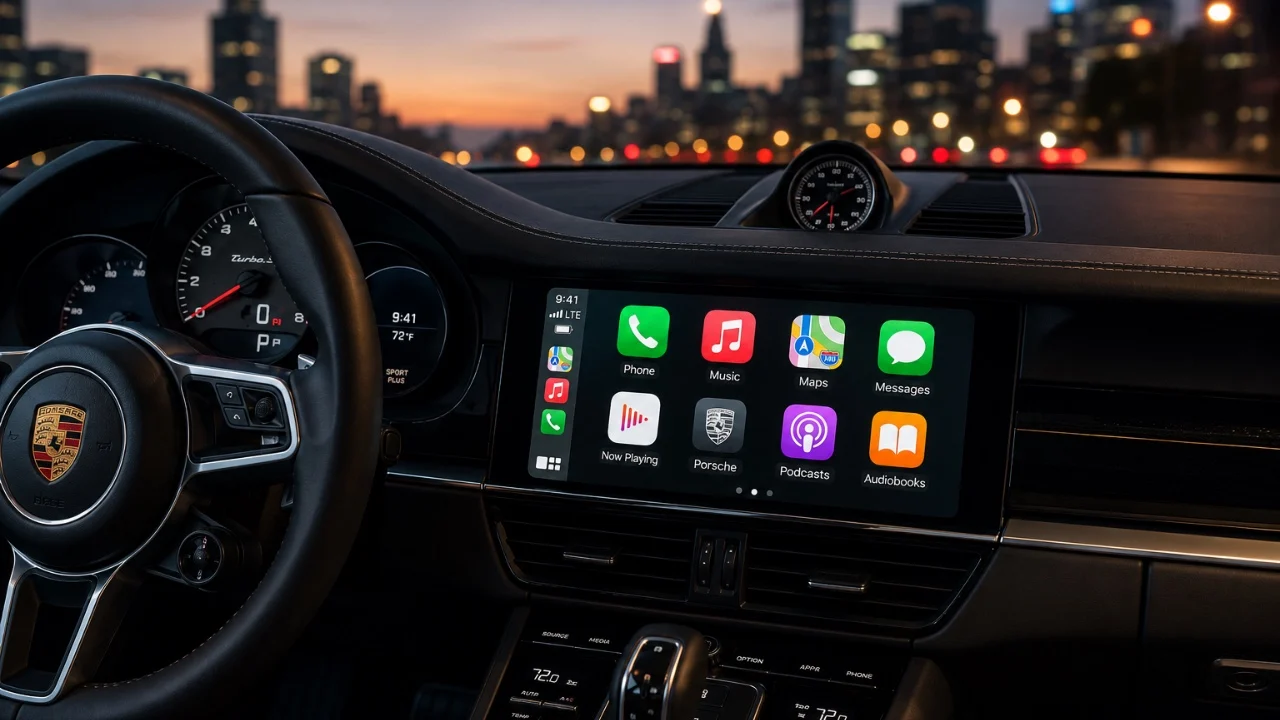
Apple CarPlay has evolved significantly by 2026, becoming an essential tool for drivers seeking a balance between connectivity, convenience, and safety. With its advanced features, CarPlay transforms your vehicle into a personalized and efficient hub, allowing you to stay connected while minimizing distractions. This guide explores how you can fully use CarPlay’s capabilities to enhance your driving experience. The video below from Nikias Molina shows us how to get the most out of Apple CarPlay.

Customizing the Interface for a Tailored Experience
CarPlay’s interface is designed with adaptability in mind, allowing you to customize it to suit your preferences. Through your iPhone settings, you can reorganize, hide, or remove apps, making sure that only the most frequently used tools are displayed prominently. Hidden apps remain accessible when needed and you can reset the layout to its default at any time. Additionally, CarPlay offers options to personalize the display with custom wallpapers and app icons, creating a visually appealing and user-friendly interface. These features ensure that your CarPlay setup is both functional and uniquely yours.
Enhancing Safety with Notification Management
Notifications are a common source of distraction while driving, but CarPlay provides robust tools to manage them effectively. You can control which notifications appear on your display, disabling alerts and badges for non-essential apps. This selective approach ensures that only critical updates reach you, helping you maintain focus on the road. By striking a balance between staying informed and minimizing distractions, CarPlay enhances both safety and connectivity during your drive.
Optimizing Display Settings for Any Environment
CarPlay’s display settings are designed to adapt to various driving conditions. You can toggle between light, dark, or automatic modes based on the ambient lighting, making sure optimal visibility at all times. Customizing wallpapers and icon styles further enhances the interface’s aesthetic appeal, making it both practical and visually pleasing. These adjustments allow you to create a display that complements your environment and enhances your overall driving experience.
Streamlining Access with Widgets
Widgets are a powerful feature in CarPlay, providing quick access to essential information. You can add and organize widgets for navigation, music, weather and even smart home controls, tailoring the interface to your needs. With smart rotation, CarPlay displays the most relevant widgets based on your current activity, making sure that critical information is always at your fingertips. This functionality simplifies multitasking and enhances efficiency while driving.
Transforming Your Media Experience
CarPlay’s media features are designed to make your in-car entertainment seamless and enjoyable. You can pin favorite playlists, albums, or songs for instant access and download music for offline playback to avoid interruptions in areas with poor connectivity. For podcasts and audiobooks, adjustable playback speeds allow you to customize your listening experience. These features ensure that your media consumption is both convenient and tailored to your preferences.
Advanced Navigation for Smarter Travel
Navigation in CarPlay has become more intuitive and user-friendly. You can save frequently visited locations using Apple Maps pins, making them easily accessible for future trips. Sharing your estimated time of arrival (ETA) with contacts directly from CarPlay enhances coordination and keeps others informed of your progress. These advanced navigation features simplify your travel planning and improve communication with others.
Expanding Capabilities with Third-Party Apps
CarPlay’s compatibility with third-party apps significantly broadens its functionality. Popular apps like WhatsApp, Spotify, ChatGPT and Carrot Weather integrate seamlessly, allowing you to send messages, make calls, stream music and access detailed weather updates. For instance, WhatsApp supports hands-free communication, while Spotify offers personalized music recommendations. These integrations ensure that CarPlay remains versatile and adaptable to your needs.
Hands-Free Convenience with Siri
Siri continues to be a cornerstone of CarPlay’s hands-free functionality. By 2026, Siri integrates with ChatGPT, allowing more advanced and conversational interactions. Whether you need navigation assistance, weather updates, or app control, Siri ensures that you can access information and manage tasks without taking your hands off the wheel. This integration enhances convenience and safety, making your driving experience smoother and more efficient.
Transforming Access with Apple Car Key
The Apple Car Key feature transforms your iPhone or Apple Watch into a digital key, allowing you to unlock and start compatible vehicles effortlessly. You can also share digital keys with others and set specific usage permissions, giving you full control over who can access your vehicle. This feature adds a new layer of convenience and security to your driving experience.
CarPlay Ultra: A New Level of Integration
CarPlay Ultra takes in-car control to the next level by integrating directly with your vehicle’s systems. This advanced version allows you to manage features like air conditioning, seat adjustments and more, all from the CarPlay interface. Full dashboard integration creates a seamless experience, making CarPlay Ultra a central hub for vehicle management. This enhanced functionality ensures that your car’s systems are always within easy reach.
Driving Focus Mode: Prioritizing Safety
Safety remains a top priority for CarPlay and the Driving Focus mode is a testament to this commitment. This feature silences non-essential notifications, helping you stay focused on the road. Display settings can also be adjusted to minimize distractions, making sure that your attention remains on driving. Together, these features create a safer and more focused driving environment, allowing you to navigate with confidence.
Embracing the Future of Driving with Apple CarPlay
By 2026, Apple CarPlay has evolved into a comprehensive tool that enhances every aspect of your driving experience. From personalized interfaces and advanced navigation to seamless media integration and hands-free control, CarPlay offers a range of features designed to improve convenience, safety and connectivity. By using its capabilities, you can create a driving environment that is efficient, distraction-free and tailored to your needs.
Browse through more resources below from our in-depth content covering more areas on Apple CarPlay.
Source: Nikias Molina
Disclosure: Some of our articles include affiliate links. If you buy something through one of these links, techschimp Gadgets may earn an affiliate commission. Learn about our Disclosure Policy.