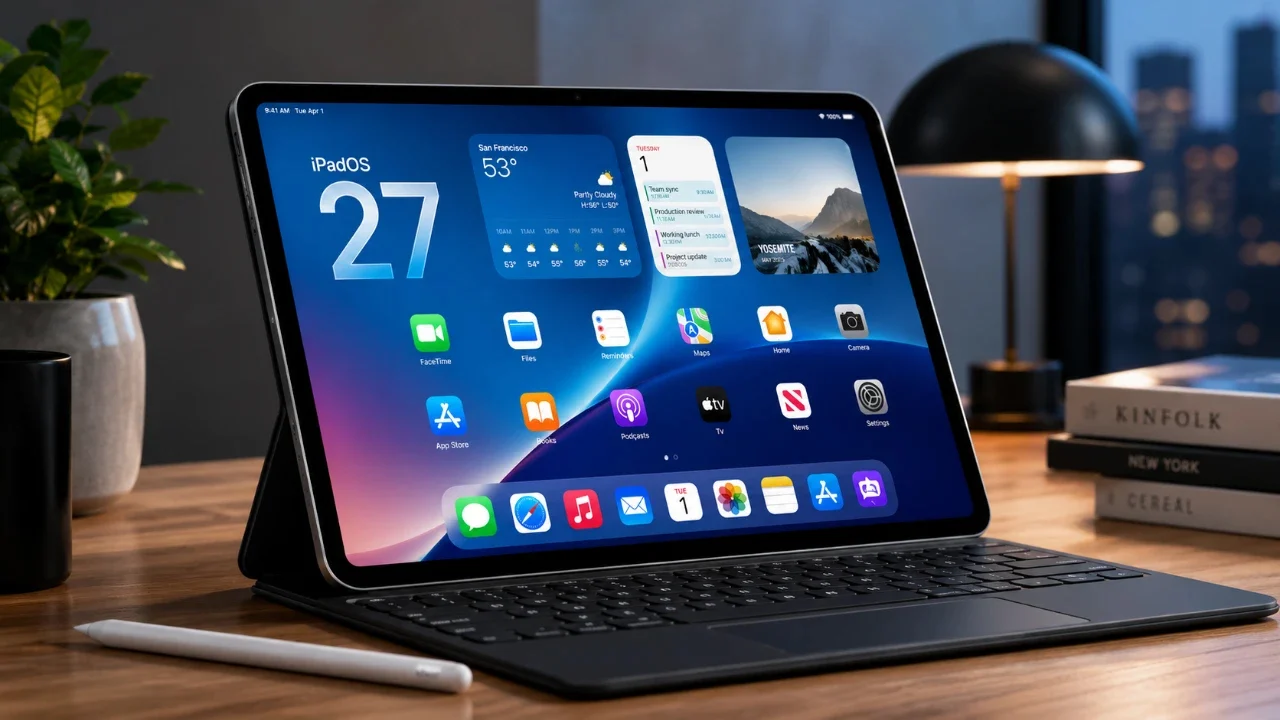
Apple’s iPadOS 27 represents a significant evolution in how you interact with your iPad, emphasizing artificial intelligence (AI), enhanced usability and smarter tools. This update is designed to make the iPad more intuitive, versatile, and responsive to your needs. Whether you’re using it for work, creativity, or everyday tasks, iPadOS 27 introduces features that streamline your experience and adapt seamlessly to your preferences. The video below from MacRumors gives us a detailed look at the new iPadOS.

Siri Gets Smarter and More Context-Aware
Siri in iPadOS 27 receives a substantial upgrade, becoming more intelligent and context-aware. It now integrates more deeply with your iPad, offering personalized assistance without requiring manual input. For instance, if you’re reading an email about an event, Siri can automatically create a calendar entry based on the details in the message.
Key enhancements include:
- Improved ability to answer open-ended questions by analyzing on-screen content and providing relevant responses.
- Performing in-app actions, such as sending messages, playing music, or setting reminders, directly within the app you’re using.
- Seamless cross-device synchronization, allowing you to continue conversations with Siri across your iPhone, iPad and Mac.
These updates make Siri a more proactive and efficient assistant, saving you time and enhancing productivity.
Visual Intelligence and Enhanced Touch Interactions
iPadOS 27 introduces advanced visual intelligence, allowing you to interact with on-screen elements in entirely new ways. Whether you’re using touch or the Apple Pencil, the system bridges static content with actionable insights. For example:
- Tap on an image of food to instantly access nutritional information or recipes.
- Touch a location on a map to view detailed data about the area, including landmarks, reviews and travel options.
These features transform how you engage with content, making interactions more dynamic, informative and tailored to your needs.
Upgraded Notes and Photo Editing Tools
The Notes app in iPadOS 27 introduces powerful new features that enhance both productivity and creativity. You can now seamlessly integrate typed and handwritten notes, making it easier to summarize lengthy scripts or prepare content for presentations. This functionality is particularly beneficial for students, professionals and content creators.
The Photos app also sees significant upgrades, offering advanced editing tools such as:
- Spatial Reframing: Recompose your photos after capturing them to focus on key elements.
- Extend Tool: Expand the dimensions of your photos for a broader perspective.
- Cleanup Tool: Remove larger objects from images for a cleaner, more polished look.
These enhancements provide greater control over your content, whether you’re organizing ideas or refining visuals for personal or professional use.
Improved Web Browsing and Password Security
Safari in iPadOS 27 introduces automatic tab grouping, a feature that helps you organize your browsing sessions more effectively. This is particularly useful for multitasking, managing research projects, or keeping personal and work-related tabs separate.
Password management also receives a significant boost, with new features that enhance online security:
- Automatic detection and flagging of weak or compromised passwords.
- Quick options to update and strengthen your passwords directly within the system.
These updates ensure a safer and more streamlined browsing experience, giving you peace of mind while navigating the web.
Automation and Expanded Child Safety Features
Automation in iPadOS 27 simplifies transitions between app modes, enhancing productivity. For instance, attaching a keyboard can automatically switch apps to full-screen mode, while disconnecting it reverts to a touch-friendly interface.
Child safety features have been significantly expanded, offering parents greater control over their children’s digital activities. Key updates include:
- Customizable app and website access to ensure children only interact with age-appropriate content.
- Advanced content filters that block inappropriate material, such as nudity or violence.
- Time allowances for specific categories like games, social media, or educational apps.
- Communication restrictions, allowing contact only with approved individuals.
These tools provide a safer digital environment for younger users, giving parents peace of mind while fostering responsible screen time habits.
Performance and Accessibility Enhancements
iPadOS 27 delivers notable performance improvements, making your device faster and more responsive. Highlights include:
- External drive speeds that are up to five times faster, allowing quicker file transfers and backups.
- Faster app launches and more efficient AirDrop transfers for seamless sharing.
Accessibility features have also been enhanced to ensure inclusivity for all users. Updates include:
- Liquid Glass Adjustments: Improved readability and contrast for users with visual impairments.
- Captioning Tool: Automatic generation of synced subtitles and translations for videos, making content more accessible.
These changes ensure the iPad remains a powerful and inclusive tool for a diverse range of users.
AI-Enhanced Maps and Smarter Home Automation
The Maps app in iPadOS 27 benefits from AI-driven enhancements, offering sharper flyover visuals and more immersive details. These updates make navigation more intuitive, whether you’re exploring a new city or planning a trip.
The Home app also sees improvements, integrating AI summaries and supporting 4K HomeKit secure video. These features simplify the management of smart home devices, allowing you to monitor and control your environment with ease.
A Comprehensive Update for Every User
iPadOS 27 redefines the iPad experience by combining AI-driven intelligence, enhanced usability and powerful tools. From smarter Siri interactions and advanced photo editing capabilities to improved child safety features and performance optimizations, this update caters to a wide range of user needs. Whether you’re working, creating, or simply staying organized, iPadOS 27 transforms your iPad into a more intelligent and adaptable companion for every aspect of your life.
Check out more relevant guides from our extensive collection on Siri Enhancements that you might find useful.
Source & Image Credit: MacRumors
Disclosure: Some of our articles include affiliate links. If you buy something through one of these links, techschimp Gadgets may earn an affiliate commission. Learn about our Disclosure Policy.