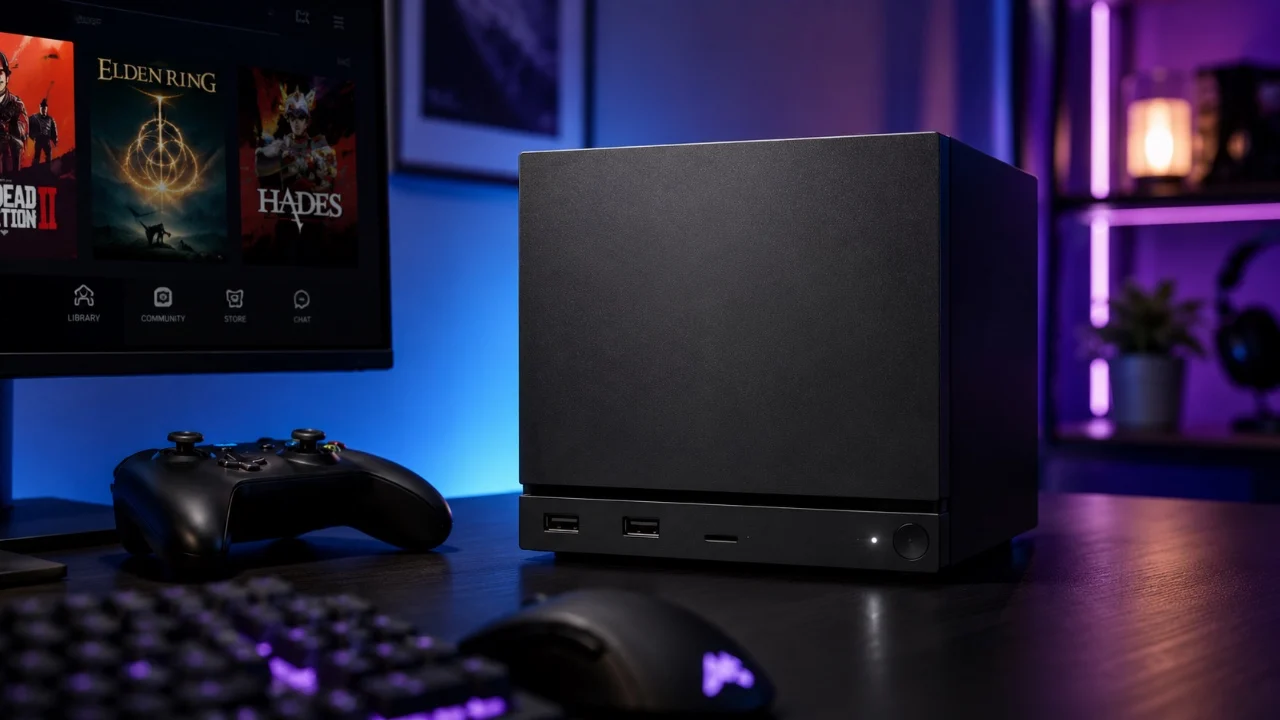
The Steam Machine is a versatile gaming platform that caters to a wide range of gaming preferences. Designed with adaptability in mind, it offers customizable features, extensive storage options, and compatibility with third-party tools. Whether you’re a casual gamer or a tech-savvy enthusiast, understanding its core functionalities can help you make the most of its capabilities. Below, we delve into its standout features and practical tips to enhance your gaming experience. The video below from HotshotTek gives us more details.

Customizable LED Lighting
The Steam Machine’s customizable LED lighting system goes beyond aesthetics, offering both functional and decorative benefits. These lights can display game loading progress, notify you of Steam account updates, or simply add a personalized touch to your setup. With options like “breathe” or “rainbow” effects, you can tailor the lighting to match your gaming environment. Adjusting colors and effects not only enhances the visual appeal but also provides useful feedback during gameplay, making this feature both practical and engaging.
Expand Your Storage
Running out of space for your growing game library is no longer a concern with the Steam Machine’s flexible storage options. It supports external SSDs, HDDs and microSD cards, allowing you to expand storage as needed. Additionally, seamless file transfers between systems via SD cards make managing your games and files effortless. This adaptability ensures you can keep your favorite titles installed without worrying about storage limitations, offering a smoother and more convenient gaming experience.
Switch to Desktop Mode
The Steam Machine’s Linux-based Steam OS includes a desktop mode that transforms the device into a fully functional PC. In this mode, you can install third-party game launchers like Epic Games or GOG, browse the web, or even use productivity tools. A virtual keyboard is available for navigation, but for a more traditional experience, you can connect external peripherals such as a mouse and keyboard. This feature is ideal for users who want to expand their gaming and computing options, making the Steam Machine a versatile tool for both entertainment and productivity.
Third-Party Controller Support
The Steam Machine is compatible with a wide range of third-party controllers, including those from Xbox, PlayStation and Nintendo. Whether you prefer to connect via Bluetooth or USB, the pairing process is straightforward and guided by clear instructions in the settings menu. This compatibility ensures you can use your preferred controller for a comfortable and seamless gaming experience, catering to individual preferences and play styles.
Effortless Game Downloads and Transfers
Managing game downloads and transfers is a breeze with the Steam Machine. You can enable downloads during single-player gameplay, making sure your sessions remain uninterrupted. The device also supports local Wi-Fi transfers, allowing you to move game files between Steam devices or PCs quickly and efficiently. This feature is especially useful for users with multiple systems, saving both time and bandwidth while keeping your library synchronized.
Advanced Display and Power Settings
The Steam Machine includes advanced display and power settings designed to enhance your gaming experience and protect your hardware. Night mode, for instance, reduces eye strain by adjusting brightness and color temperature, and it can be scheduled to activate automatically. For devices with OLED screens, brightness dimming options help prevent screen burn-in, making sure your display remains in optimal condition over time. These settings allow for a more comfortable and long-lasting gaming experience.
Retro Gaming with Emulators
For fans of classic gaming, the Steam Machine supports emulators for platforms like GameCube and N64. By installing compatible emulators, you can enjoy retro games directly on your device, expanding your gaming library to include nostalgic favorites. This feature makes the Steam Machine a versatile choice for gamers who appreciate both modern and classic titles, offering a comprehensive gaming experience.
Proton Compatibility for Windows Games
The Steam Machine’s Linux-based Steam OS supports Windows games through Proton compatibility, allowing access to a broader range of titles. By installing and configuring specific Proton versions, you can play third-party games that aren’t natively supported on Linux. ProtonDB, an online resource, provides compatibility checks and optimization tips to help you get the best performance from your games. This feature ensures that your gaming options are not limited by the operating system, making the Steam Machine a more inclusive platform.
Key Features at a Glance
- Customizable LED lighting for aesthetics and notifications.
- Support for external SSDs, HDDs, and microSD cards for storage expansion.
- Desktop mode for PC-like functionality and third-party launcher support.
- Compatibility with Xbox, PlayStation, and Nintendo controllers for personalized gameplay.
- Local Wi-Fi transfers for quick and efficient game file management.
- Advanced display settings, including night mode and brightness dimming for OLED screens.
- Emulator support for retro gaming enthusiasts.
- Proton compatibility for running Windows-based games on Linux.
Maximize Your Gaming Experience
The Steam Machine is more than just a gaming console; it’s a customizable and adaptable platform that caters to a variety of gaming needs. From personalized LED lighting and storage expansion to desktop functionality and retro gaming support, it offers a wide range of features to enhance your experience. By using its capabilities, you can unlock the full potential of your Steam Machine and enjoy a tailored gaming experience that suits your preferences.
Find more information on Steam Machine optimization by browsing our extensive range of articles, guides and tutorials.
Source & Image Credit: HotshotTek
Disclosure: Some of our articles include affiliate links. If you buy something through one of these links, techschimp Gadgets may earn an affiliate commission. Learn about our Disclosure Policy.