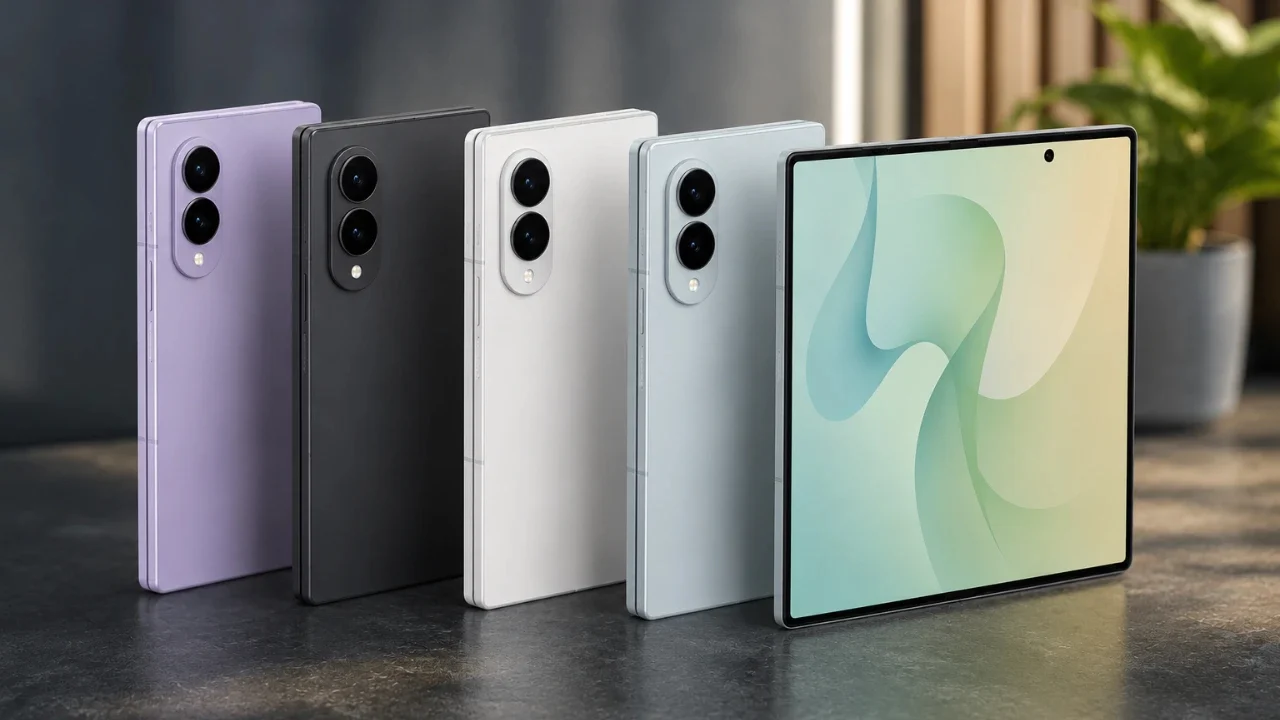
The Samsung Z Fold 8 represents a significant advancement in foldable smartphone technology, blending innovative hardware with intuitive software to deliver a device that excels in productivity, creativity, and entertainment. Designed to cater to both casual users and tech enthusiasts, it offers a wealth of features that redefine the smartphone experience. In the video below, Hayls World explores its standout functionalities, practical tips, and hidden capabilities to help you maximize its potential.

Innovative Foldable Display
The foldable display is the hallmark of the Samsung Z Fold 8, offering unparalleled versatility with its four screen modes: cover screen (portrait and landscape) and unfolded screen (portrait and landscape). The “Continue Apps on Cover Screen” feature ensures seamless transitions between folded and unfolded modes, allowing you to maintain your workflow without interruptions. Additionally, the double wallpaper customization option lets you assign unique wallpapers to different orientations, allowing a personalized and dynamic aesthetic.
The display’s adaptive refresh rate enhances both visual clarity and battery efficiency, while its ultra-thin glass construction ensures durability without compromising on flexibility. Whether you’re multitasking, gaming, or streaming, the foldable display delivers an immersive and adaptable experience.
Enhanced Camera System
The Z Fold 8’s camera system is engineered to meet the needs of both casual photographers and professionals, offering a suite of advanced features:
- 50MP wide and ultra-wide cameras with advanced stabilization, including a horizontal lock for steady and precise shots.
- Dual camera mode that transforms the cover screen into a viewfinder, allowing high-quality selfies using the rear cameras.
- Document scanning with automatic reframing and PDF saving for seamless organization.
- Video tracking to maintain focus on moving subjects, making sure sharp and professional results.
- Audio eraser tool to reduce background noise in video recordings for clearer sound quality.
These features empower you to capture stunning visuals and create professional-grade content effortlessly, whether you’re documenting everyday moments or producing creative projects.
Multitasking Made Simple
The Z Fold 8 is designed to elevate productivity through its robust multitasking capabilities:
- Split-screen multitasking supports up to three apps simultaneously, with customizable layouts such as a 90/10 split for prioritizing tasks.
- Pop-up windows and a taskbar provide instant access to frequently used apps, streamlining your workflow.
- Two-finger swipe gestures make rearranging split-screen apps intuitive and efficient.
- Motion gestures allow you to mute calls or turn off the screen with simple hand movements, adding convenience to everyday interactions.
These features make the Z Fold 8 a powerful tool for managing multiple tasks, whether you’re working, studying, or multitasking on the go.
Personalization at Your Fingertips
The Z Fold 8 offers extensive personalization options, allowing you to tailor the device to your preferences:
- The Samsung Good Lock app unlocks custom animations, DIY home screen layouts, and advanced customization tools.
- Lock screen clock fonts adapt to your chosen wallpaper, creating a cohesive and polished look.
- The keyboard supports gesture typing, emoji shortcuts, and transparency adjustments for a personalized typing experience.
These features ensure that your device reflects your unique style and enhances your daily interactions.
AI-Powered Editing Tools
The Z Fold 8’s gallery is equipped with AI-driven tools that simplify photo and video editing, allowing professional-quality results directly on your device:
- 3D photo effects with adjustable depth add dynamic visuals to your images.
- Seamless image modification allows you to add or remove elements with precision.
- Video editing tools include subject tracking and noise removal for polished, high-quality content.
These tools make it easy to enhance your media, whether you’re creating social media posts or preserving personal memories.
Optimized Performance Features
To ensure smooth and efficient operation, the Z Fold 8 includes several performance optimization tools:
- Auto-restart periodically refreshes the system to maintain consistent performance.
- Intelligent ad-blocking minimizes distractions from intrusive notifications, enhancing focus.
- Customizable screenshot settings allow you to hide the status and navigation bars for cleaner captures.
These features contribute to a streamlined user experience, making sure your device operates at peak efficiency.
Wireless PowerShare
The Z Fold 8 doubles as a wireless charging pad, allowing you to charge other devices such as earbuds, smartwatches, or even another smartphone. This feature is particularly useful for staying powered up while on the go, making sure your accessories are always ready for use without the need for additional chargers.
Seamless Connectivity with eSIM
With eSIM support, the Z Fold 8 simplifies global connectivity. You can switch between country-specific data plans or access cruise connectivity without the need for a physical SIM card. This flexibility makes the device an ideal companion for frequent travelers, offering convenience and adaptability in various regions.
Tips for Maximizing Usability
To fully unlock the potential of your Z Fold 8, consider implementing these additional tips:
- Enable “Multi-Window for All Apps” to ensure universal split-screen compatibility, even for apps that don’t natively support multitasking.
- Customize the quick settings panel to prioritize frequently used features, allowing for faster and more efficient access.
- Explore Samsung DeX mode to transform your Z Fold 8 into a desktop-like experience, ideal for productivity and presentations.
These adjustments can significantly enhance your overall experience, making the device even more versatile and user-friendly.
Learn more about Galaxy Z Fold 8 with other articles and guides we have written below.
Source & Image Credit: Hayls World
Disclosure: Some of our articles include affiliate links. If you buy something through one of these links, techschimp Gadgets may earn an affiliate commission. Learn about our Disclosure Policy.