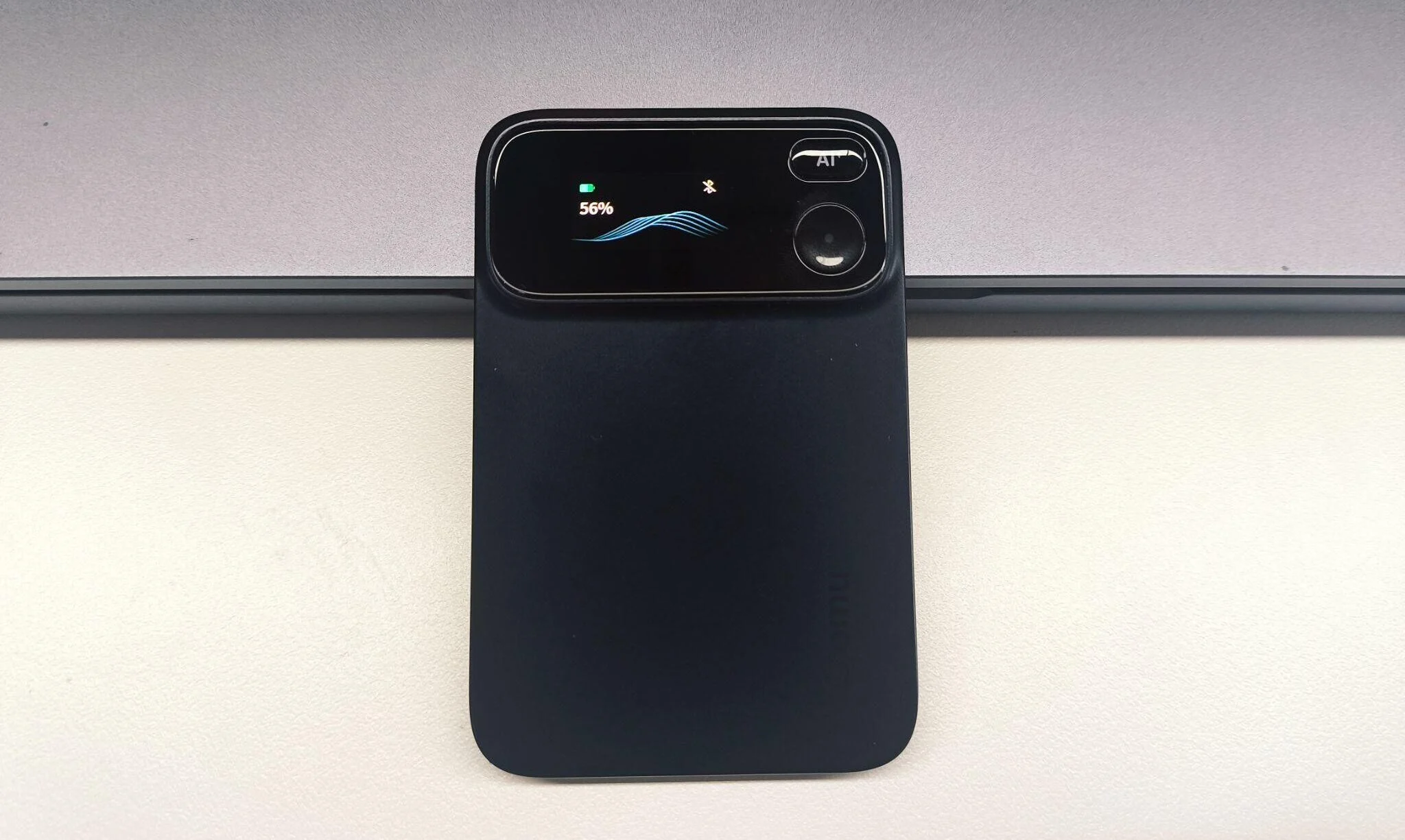
Nora has been putting the new Comu Action Pro through its paces, and in this review she shares her experience of using the AI assistant and what sets it apart from other AI recording devices. When I first picked up the Comu Action Pro, I expected another familiar AI recording device: capture the audio, sync it to a phone, and use AI to produce a transcript and summary.
After using it in everyday work scenarios, however, I found that its real focus was not recording itself. Instead, it was designed to handle what happens after a conversation ends.
Following an interview, I would normally replay parts of the recording, organize the key points, identify follow-ups, and draft an email. After a project meeting, I might also need to extract decisions, assign tasks, and record deadlines.
The Comu Action Pro attempts to combine these steps. It records the conversation first, then uses AI to turn that information into practical work outputs.
That approach makes it noticeably different from many other-brand products I have used.
The Dedicated AI Button Became the Feature I Used Most
After several recording sessions, the feature I started using most was not the recording control—it was the dedicated AI button.
With other-brand products, my usual post-meeting routine involves taking out my phone, opening the app, finding the correct recording, and selecting a summary or analysis tool. If I want a follow-up email, I may also need to re-enter the meeting background, explain who was involved, and specify the intended tone.
The Comu Action Pro offers a more direct workflow. After pressing the AI button, I can describe the result I need by voice. For example:
- “Organize the action items from that meeting.”
- “Draft a follow-up email based on this conversation.”
- “Summarize the recurring issues from my recent meetings.”
- “Create a presentation outline from the discussion.”
- “Find the action items that have not been completed.”
The biggest difference is not necessarily that the AI itself feels dramatically more powerful. It is that the path to the AI is shorter.
By removing some of the steps involved in opening an app, locating a file, and re-entering context, I was more likely to process information immediately after a meeting. Recordings that I might previously have planned to “organize later” were less likely to disappear into an archive.
AI-generated results still require review. I would pay particular attention to names, dates, figures, task owners, and any commitments made to customers. The Comu Action Pro is useful for producing a first draft, but it does not remove the user’s responsibility for the final content.
It Goes Beyond Summarizing a Single Recording
Meeting summaries are now a standard feature across many AI recording products. If the comparison is limited to whether a device can condense a meeting into several key points, the Comu Action Pro does not fundamentally differ from other-brand products.
The more meaningful distinction is what happens after the summary is created.
This AI Workmate can use a conversation to generate action items, emails, work documents, presentation drafts, calendar events, and CRM notes. This allows the recording to move beyond being something I simply read later.
After a project meeting, for example, I do not always need the complete transcript. I usually want to know what was decided, who is responsible for each task, and when the next follow-up should happen.
The Comu Action Pro can process the recording around those objectives instead of handing me a long block of text and ending the workflow there.
In that sense, it feels less like a recorder with a summary feature and more like a work assistant built on top of recorded conversations.
Cross-Meeting Context Is More Valuable Than Another Summary
One problem I have encountered with other-brand products is that every recording can become a separate information silo.
The AI may summarize today’s meeting, but it does not necessarily understand what happened last week. It may extract the latest action items, but it cannot always identify a task that has remained unfinished across several discussions.
If I want to review the development of a project, I may still need to open each recording individually.
The Comu Action Pro addresses this with what the company calls Conversation Context. The system is designed to understand requests by considering related people, topics, dates, and previous discussions rather than treating every recording as an isolated file.
This allows me to ask broader questions, such as:
- “What has changed in this project over the past month?”
- “Which customer concerns have appeared repeatedly?”
- “What decisions were made in the previous meeting?”
- “Which action items are still incomplete?”
- “Summarize all project-related discussions from this week.”
For someone who attends many meetings, cross-recording retrieval can be far more useful than another neatly formatted summary.
A single-meeting summary answers, “What did we just discuss?” Conversation Context attempts to answer, “How has this issue developed, and where do things stand now?”
The feature works best when project names, participant names, and recurring terminology are used consistently. Similar project names or unclear references may require more specific instructions from the user.
Comu Action Pro, Plaud Note Pro & Pocket: At a Glance
PLAUD and Pocket already offer similar AI recording devices for work and meetings. To see where Comu Action Pro fits in, let’s take a quick look at how the three compare.
Hardware and Recording Experience
| Feature | Comu Action Pro | Comulytic Note Pro | PLAUD Note Pro | |
|---|---|---|---|---|
| Microphone setup |
|
|
||
| Display | 0.95-inch OLED | 0.78-inch OLED | InstantView OLED | None |
| Recording time | Up to 70 hours | Up to 45 hours | 30-50 hours in different mode | Unkonwn, only claims 4 days of active use |
| Charging | USB-C | Pin charging | Pin charging | USB-C |
| Mounting | Direct magnetic attachment | Requires magnetic accessories | Requires magnetic accessories | Direct magnetic attachment |
Software and Subscription Features
| Feature | Comu Action Pro | Plaud Note Pro | Pocket Pro |
|---|---|---|---|
| Recording and transcription |
|
|
|
| AI capabilities |
|
|
|
| Interaction |
|
|
|
| Advanced features |
|
|
|
| Free access |
|
|
|
All three products cover the basics well, from phone calls and meetings to interviews and quick voice notes. In day-to-day use, the differences come down more to things like battery life, charging, and how much you can actually do with the recording afterward.
Comu Action Pro has a few nice practical touches. The OLED display makes it easy to check the recording status, while USB-C charging is convenient if you already carry the same cable for your other devices. With up to 70 hours of battery life, it also doesn’t need to be charged after every few meetings.
The unlimited real-time translation is another useful perk, especially for anyone who regularly works across languages. Combined with unlimited transcription and basic summaries on the Starter plan, there’s less pressure to pay for a subscription just to use the core features.
What I found more useful, though, is what happens after recording. The dedicated AI button lets you turn a conversation into action items, emails, documents, or presentation drafts, so you’re not left with just another transcript to work through.
Supported Languages Do Not Tell the Whole Transcription Story
The Comu Action Pro supports AI transcription in 113 languages. That sounds impressive, but many other-brand products also support more than 100 languages. Language count alone is therefore not a decisive differentiator.
In real work, I care more about how the system handles:
- Conversations that switch between languages
- Multiple speakers
- Product names and industry terminology
- Accents and different speaking speeds
- Background noise
- Overlapping speech
This AI assistant supports automatic speaker labeling and custom vocabulary. Speaker labeling can significantly reduce editing time after an interview or group meeting, while custom vocabulary is useful for teams that regularly use specialized terminology.
The transcript still requires proofreading. Accuracy can change depending on the environment, accent, recording distance, and number of participants. I do not expect perfect word-for-word transcription in every scenario. What matters more is whether the system preserves the essential meaning, identifies the participants correctly, and captures the information needed for the next step.
Unlimited Basic Transcription Makes Frequent Use More Practical
One cost that is easy to overlook when purchasing an AI recorder is the ongoing subscription.
According to Comu’s published plan, the Comu Action Pro includes unlimited basic AI transcription and summaries. Translation, in-depth analysis, and more advanced AI Agent features are subject to separate usage allowances.
Some other-brand products limit free transcription to a set number of minutes per month. Others provide standard transcription but restrict summary retention or the number of AI queries available each day.
A few hundred free minutes may be enough for someone who records only a handful of meetings each month. For users who record interviews, internal meetings, customer calls, and spontaneous discussions, unlimited basic transcription lowers the barrier to using the device consistently.
That does not mean every AI feature is unlimited. Anyone who expects to rely heavily on cross-meeting analysis, translation, or advanced content generation should still review the relevant allowances and long-term subscription costs.
Who Is the Comu Action Pro For, and Is It Worth It?
After using it, I do not think the Comu Action Pro is necessary for everyone.
If you occasionally record a lecture or need a transcript from a few short meetings each month, a simpler product may already cover your needs. In that situation, features such as Conversation Context and AI-generated work content may be more than you require.
The Comu Action Pro makes more sense for people who:
- Attend several meetings every day
- Regularly conduct interviews or customer visits
- Need to turn conversations into emails, documents, and presentations
- Manage multiple projects and frequently review earlier decisions
- Want to process recordings without repeatedly opening a phone app
Its ideal user is not simply someone who needs a recorder. It is someone who regularly needs to convert conversations into usable work.
The Comu Action Pro normally sells for $179.99, but readers can use the exclusive code GEEKY10 to get $10 off, bringing it down to $169.99.
At that price, it feels less like a recorder with a few AI extras and more like a portable work assistant that starts with your conversations.
Verdict: Recording Is the Entry Point, Not the Final Product
After spending time with the Comu Action Pro, the hardware specifications were not what stayed with me most.
The OLED display makes recording status easier to confirm. The six-microphone system supports meetings, interviews, and phone calls. USB-C charging and direct magnetic attachment make the device easier to carry and use, while the rated battery life reduces the need for frequent charging.
The features that truly distinguish the experience, however, are the dedicated AI button and Conversation Context.
Instead of ending the process with a transcript, the Comu Action Pro asks what I want to do with the information. It can organize tasks, draft follow-up emails, create presentation outlines, and connect details scattered across multiple conversations.
It cannot take full responsibility for post-meeting work. Transcripts still need proofreading, generated content still requires review, and complex contextual relationships may need clarification. But it does reduce many of the repetitive steps between finishing a conversation and acting on it.
Other-brand products may feel like recording devices enhanced by AI. The Comu Action Pro feels closer to a portable work assistant that uses recording as its starting point. For me, that is its most meaningful advantage.”””””
Disclosure: Some of our articles include affiliate links. If you buy something through one of these links, techschimp Gadgets may earn an affiliate commission. Learn about our Disclosure Policy.