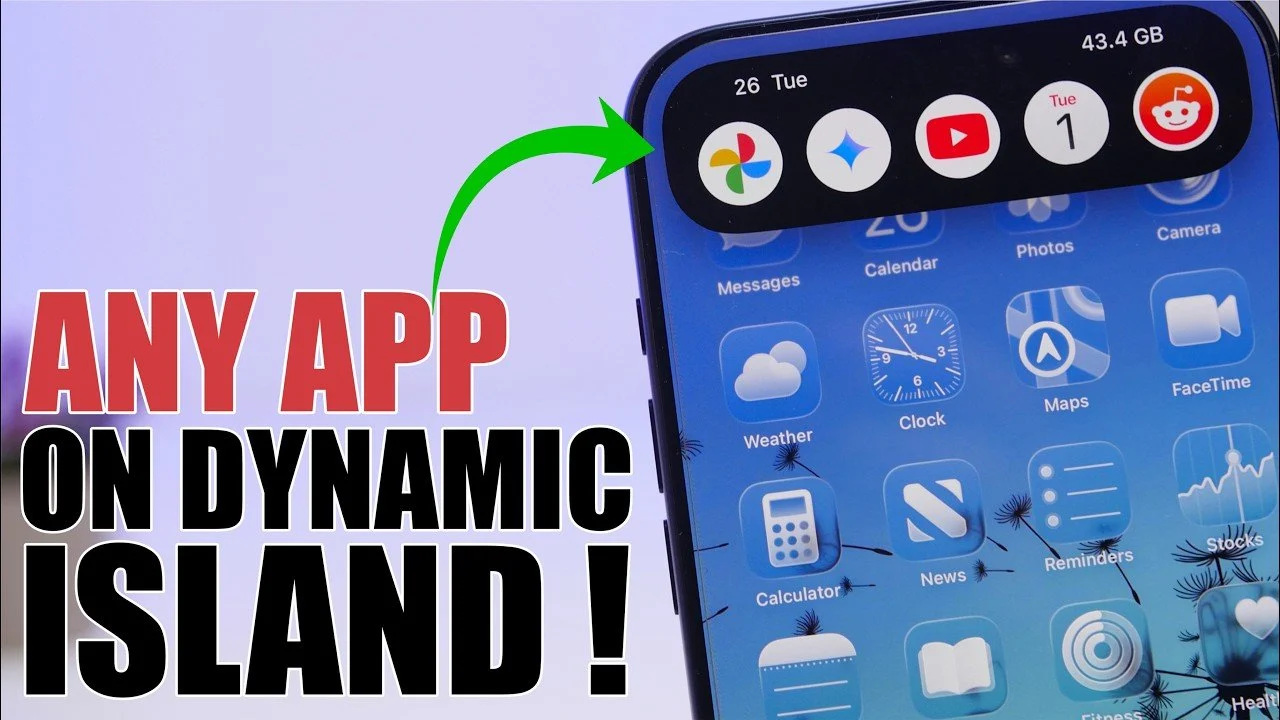
The Dynamic Island is more than just a design element on your iPhone; it’s a powerful, multifunctional feature that can significantly enhance how you interact with your device. By using tools like the Lock Launcher app and exploring its customization options, you can transform the Dynamic Island into a personalized hub for quick access to apps, shortcuts, and system controls. The video below from iReviews will help you discover how to maximize its potential and make your iPhone experience more efficient and tailored to your needs.
Understanding the Dynamic Island’s Capabilities
When the Dynamic Island was first introduced, it primarily served as a space for notifications and live activities. However, its functionality has expanded, making it a versatile tool for multitasking. With the right setup, the Dynamic Island can act as an app launcher, allowing you to open apps or execute shortcuts directly from any screen. This eliminates the need to navigate through multiple menus or home screens, saving time and improving efficiency. By integrating this feature into your daily routine, you can streamline your interactions with your iPhone and make multitasking more intuitive.
Setting Up the Lock Launcher App for Maximum Efficiency
To unlock the full potential of the Dynamic Island, the Lock Launcher app is an essential tool. This app works seamlessly with the Dynamic Island, allowing you to organize apps, create shortcuts and add system toggles for quick access. Here’s how to get started:
- Download and install: Search for the Lock Launcher app in the App Store and install it on your iPhone.
- Add your favorite apps: Open the app and select the apps you use most frequently to add them to the favorites section.
- Create app groups: Organize your apps into groups for easier navigation. The free version supports up to two groups, while the premium version unlocks additional customization options.
Once configured, the Lock Launcher app integrates directly with the Dynamic Island, allowing you to access your favorite apps or execute shortcuts with a single tap. This setup not only saves time but also enhances the overall usability of your device.
Customizing the Dynamic Island for a Personalized Experience
The Dynamic Island isn’t just about functionality, it’s also a space for personalization. By customizing it, you can make your iPhone experience more intuitive and tailored to your preferences. Here are some ways to personalize the Dynamic Island:
- System toggles: Add quick-access controls for essential settings like Wi-Fi, Bluetooth, or Airplane Mode, allowing instant adjustments without navigating through menus.
- Information displays: Configure the Dynamic Island to show useful details such as the current date, battery percentage, or available storage space.
- Real-time updates: Display live weather information, upcoming calendar events, or reminders to stay informed at a glance.
These customization options allow you to transform the Dynamic Island into a central hub that reflects your unique needs and preferences, enhancing both its functionality and aesthetic appeal.
Step-by-Step Guide to Optimizing the Dynamic Island
Ready to make the most of the Dynamic Island? Follow these steps to configure it for maximum productivity and convenience:
- Enable the feature: Navigate to your iPhone’s settings and activate the Dynamic Island under the Live Activities section.
- Set up Lock Launcher: Open the app and organize your app groups, shortcuts and system toggles for quick access.
- Customize the display: Adjust the left and right sides of the Dynamic Island to show personalized information, such as weather updates, calendar events, or system stats.
By following these steps, you can fully optimize the Dynamic Island to suit your workflow and preferences, turning it into a powerful tool for multitasking and personalization.
Why the Dynamic Island is a Fantastic option for Multitasking
Transforming the Dynamic Island into an app launcher offers numerous benefits that can enhance your iPhone experience:
- Improved multitasking: Access apps or execute shortcuts directly from the Dynamic Island, eliminating the need to switch between screens.
- Time-saving functionality: Perform actions quickly and efficiently, reducing the number of steps required to complete tasks.
- Personalized usability: Customize the Dynamic Island to align with your specific needs, making your iPhone more intuitive and user-friendly.
These advantages make the Dynamic Island an invaluable feature for anyone looking to streamline their device usage and enhance productivity.
Maximizing Your iPhone Experience with the Dynamic Island
The Dynamic Island is more than just a design innovation; it’s a versatile tool that can transform how you interact with your iPhone. By integrating apps like Lock Launcher and exploring its customization options, you can turn the Dynamic Island into a personalized hub for multitasking, shortcuts and quick-access controls. Whether you’re looking to save time, improve efficiency, or add a personal touch to your device, the Dynamic Island offers endless possibilities to elevate your iPhone experience. Take advantage of this feature today and unlock a new level of functionality and convenience.
Learn more about Dynamic Island iPhone with other articles and guides we have written below.
Source & Image Credit: iReviews
Disclosure: Some of our articles include affiliate links. If you buy something through one of these links, techschimp Gadgets may earn an affiliate commission. Learn about our Disclosure Policy.