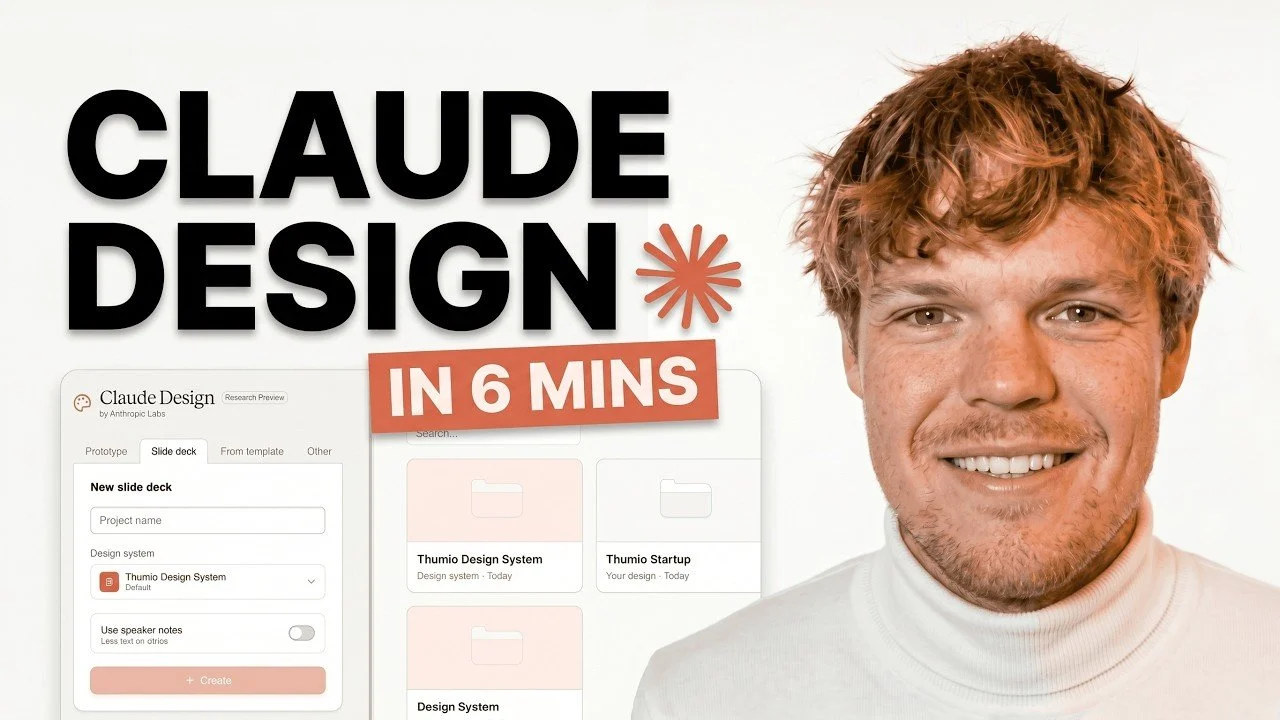
Claude Design introduces a straightforward way to create professional visuals, emphasizing ease of use for beginners. According to Corbin, one standout feature is its prompt-based creation system, which enables users to describe their design needs in plain language. This approach streamlines tasks like crafting slide decks, designing posters, or customizing layouts for specific projects. With additional options for branding adjustments and export formats, Claude Design supports a variety of creative workflows.
Discover how to collaborate with team members in real time, use reusable components to enhance efficiency and set up custom design systems tailored to your projects. Gain insight into refining your designs with advanced editing features and integrating external platforms like Figma or Canva. This how-to guide equips you with the skills to confidently use Claude Design for a range of creative tasks.
Anthropic’s New Claude Design
TL;DR Key Takeaways :
- Claude Design uses AI-powered, prompt-based creation to generate professional-quality designs quickly and efficiently, catering to various needs like slide decks, posters and layouts.
- The platform offers extensive customization options, including branding elements, advanced editing tools and reusable components, making sure flexibility for users of all skill levels.
- Seamless integration with external tools like Figma, GitHub and Canva enhances workflow efficiency, while flexible export options support multiple formats for versatile use.
- Its intuitive, chat-based interface and collaboration tools enable real-time teamwork and simplify the design process for both beginners and professionals.
- Claude Design supports the creation of comprehensive design systems, making sure consistency across projects and streamlining future workflows for businesses and individuals alike.
Claude Design is built to transform your ideas into visually compelling designs with ease. By using simple prompts, you can describe your vision and the platform will generate tailored outputs that align with your requirements. Its standout features include:
- Prompt-Based Creation: Generate designs by describing your needs in plain language, whether it’s a slide deck, poster, or other visual content.
- Branding Customization: Incorporate your brand’s colors, logos and fonts to ensure consistency across all projects.
- Integration with External Tools: Seamlessly connect with platforms like Figma, GitHub and Canva to streamline your workflow.
- Flexible Export Options: Save your designs in multiple formats, such as PDF, PowerPoint, or Canva, for versatile use across different platforms.
These features make Claude Design a versatile solution for both personal and professional design needs, ranging from corporate branding to creative projects. Its ability to adapt to various use cases ensures that users can achieve high-quality results efficiently.
Intuitive User Interface and Workflow
Claude Design’s user-friendly, chat-based interface is designed to accommodate beginners and experienced users alike. The platform allows you to interact conversationally, inputting design requests that the AI interprets and executes. This intuitive approach eliminates the steep learning curve often associated with traditional design software. To further enhance your workflow, Claude Design includes:
- File Upload: Upload images, PDFs, or other files to provide context, allowing the AI to refine your designs based on specific inputs.
- Collaboration Tools: Share feedback and collaborate with team members in real time using built-in commenting and editing features.
These tools ensure that your design process remains efficient and collaborative, even when managing complex projects or working with multiple stakeholders. The platform’s emphasis on simplicity and teamwork makes it an ideal choice for both individual creators and teams.
Here are more detailed guides and articles that you may find helpful on Claude.
Customization and Advanced Editing
Claude Design offers extensive customization options, allowing users to tailor their designs to meet specific requirements. Whether you’re adjusting themes or fine-tuning fonts, colors and layouts, the platform provides flexibility for users of all skill levels. Advanced features include:
- Code-Based Editing: For technical users, the platform allows granular modifications to designs, making sure precise results.
- Reusable Components: Save frequently used design elements for use across multiple projects, improving efficiency and consistency.
These capabilities empower users to create designs that are not only visually appealing but also aligned with their brand’s identity and project goals. By offering both simplicity and advanced tools, Claude Design caters to a wide range of design needs.
Building a Design System
One of Claude Design’s most valuable features is its ability to help users establish comprehensive design systems. This functionality is particularly beneficial for businesses and organizations aiming to maintain consistency across their visual assets. Key functionalities include:
- Custom Design Systems: Define branding elements such as color palettes, typography and layout structures to ensure uniformity across all projects.
- Code Integration: Upload local code files to further refine and customize your design system, allowing precise control over your visual assets.
By setting up a design system, you can streamline future projects and ensure all outputs adhere to your brand guidelines. This not only saves time but also enhances the professionalism and consistency of your designs, making it easier to scale your creative efforts.
Strengths, Limitations and Use Cases
While Claude Design is a powerful and versatile tool, it does have some limitations. For instance, it may not be the best choice for highly specialized tasks, such as creating YouTube thumbnails, which often require dedicated tools. Additionally, usage limits may apply during intensive workflows, so careful planning is essential to avoid disruptions.
Despite these constraints, Claude Design excels in several areas:
- Collaboration: Facilitates seamless communication between designers and developers, improving teamwork and project efficiency.
- Branded Assets: Simplifies the creation of consistent, professional-quality designs for businesses and individuals alike.
- Reusable Components: Enhances productivity by allowing users to repurpose design elements across multiple projects.
These strengths make Claude Design an excellent choice for teams and individuals looking to optimize their design processes while maintaining high-quality outputs. Its ability to balance simplicity with advanced functionality ensures that it can meet the needs of a diverse user base.
Maximizing the Potential of Claude Design
Claude Design is a robust and user-friendly platform that uses AI to simplify the design process. Its prompt-based creation, extensive customization options and integration capabilities make it a versatile tool for a wide range of applications. Whether you’re a beginner exploring design tools or an experienced professional seeking efficiency, Claude Design provides the features you need to create polished, professional-quality designs.
By understanding its strengths and limitations, you can maximize its potential and streamline your workflows effectively. From building comprehensive design systems to collaborating with team members in real time, Claude Design enables users to achieve their creative goals with ease and precision.
Media Credit: corbin
Disclosure: Some of our articles include affiliate links. If you buy something through one of these links, techschimp Gadgets may earn an affiliate commission. Learn about our Disclosure Policy.