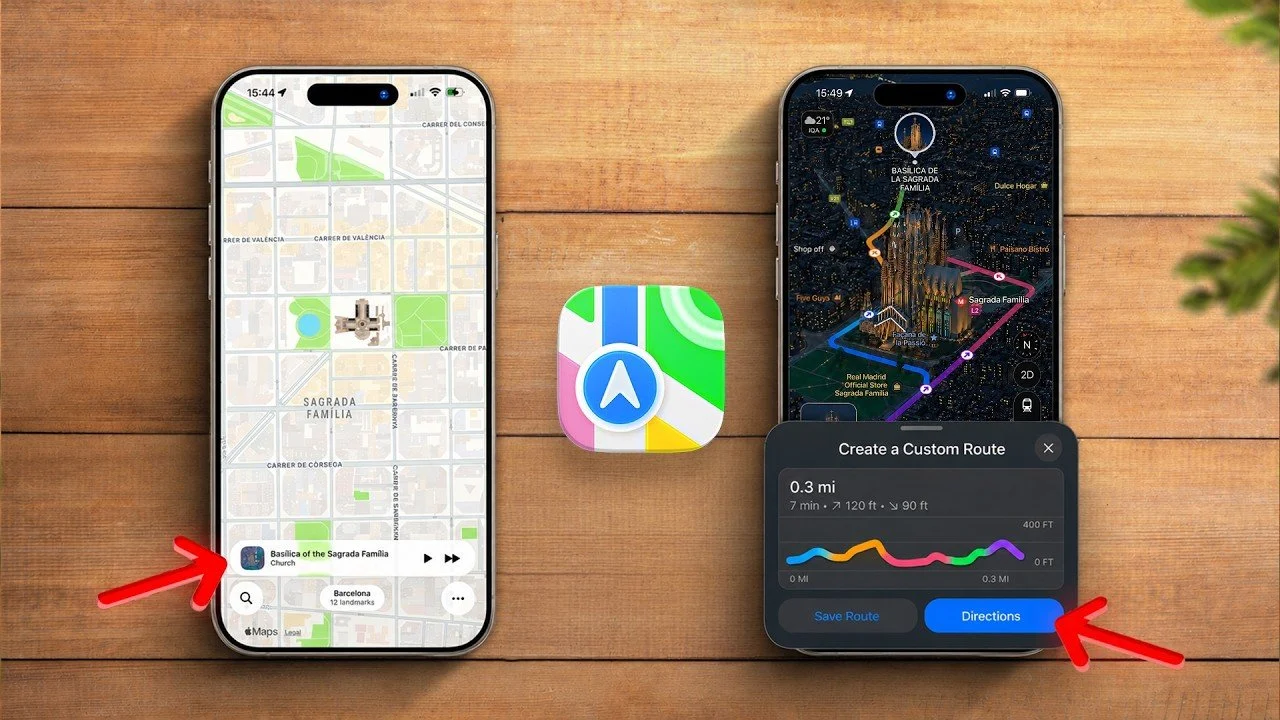
Apple Maps is more than just a navigation app; it’s a comprehensive tool designed to enhance your travel experience, whether you’re driving, walking, cycling, or using public transit. While many users rely on its basic navigation features, the app offers a range of advanced tools and customization options that can make your journeys smoother, more efficient and even more enjoyable. By learning how to use Apple Maps effectively, you can elevate the way you navigate and explore the world around you. The video below from Nikias Molina gives us more details on how to get the most out of Apple Maps.
Seamless Integration with Dynamic Island and Lock Screen
On supported devices, Apple Maps integrates seamlessly with the Dynamic Island and lock screen, making sure you stay informed without unnecessary distractions. Navigation instructions are displayed as animations, providing real-time updates for turns, directions and estimated arrival times. This integration keeps essential information at your fingertips, allowing you to focus on the road or your surroundings while staying on track. Whether you’re commuting or embarking on a road trip, this feature ensures a safer and more streamlined navigation experience.
Customize Your Settings for a Tailored Experience
Apple Maps offers a variety of settings that you can adjust to suit your specific travel needs. These customizations allow you to optimize the app for different scenarios, making sure it works exactly the way you want it to. Key customization options include:
- Allowing precise location tracking for improved accuracy in navigation.
- Setting your preferred travel mode, driving, walking, cycling, or public transit.
- Adjusting route preferences to avoid tolls, highways, or congested roads.
- Modifying Siri’s voice volume and spoken directions for clear guidance in any environment.
By tailoring these settings, you can ensure Apple Maps provides a navigation experience that aligns with your preferences, whether you’re commuting daily or exploring unfamiliar destinations.
Tap Into Advanced Features
Apple Maps is equipped with advanced tools that go beyond basic navigation, making it a versatile travel companion. Some of the standout features include:
- Ride-sharing integrations: Book rides with services like Uber or Lyft directly from the app, streamlining your travel plans.
- Climate and air quality updates: Stay informed about local weather and air quality conditions to plan your day more effectively.
- Parked car location: Automatically mark where you parked your car, making it easier to locate your vehicle later.
These features enhance the app’s functionality, offering tools that simplify your travel experience and help you stay prepared for various situations.
Navigate Public Transit with Confidence
For public transit users, Apple Maps provides detailed schedules, stops and routes for buses, subways and trains. Real-time updates keep you informed about delays, cancellations, or route changes, making sure you can adjust your plans as needed. The app also simplifies navigation within complex transit systems, making it easier to find your way in busy urban areas or unfamiliar cities. Whether you’re a daily commuter or a traveler exploring a new destination, these tools make public transit navigation more intuitive and stress-free.
Interactive Map Views and Gestures
Apple Maps offers a variety of map views to suit different navigation needs, including Explore, Driving, Transit and Satellite modes. These views provide tailored information, whether you’re planning a scenic drive, navigating public transit, or exploring a new area. The app also supports intuitive gestures, allowing you to zoom, rotate and explore 3D maps for a more interactive experience. Additionally, the Night Mode feature enhances visibility with realistic lighting effects, making it easier to identify landmarks and roads during evening hours.
Offline Maps for Reliable Navigation
One of the most practical features of Apple Maps is the ability to download maps for offline use. This is particularly valuable when traveling in areas with limited or no cellular connectivity. By downloading maps in advance, you can access navigation, location details and points of interest without relying on an internet connection. This feature ensures you’re never left stranded, whether you’re exploring remote locations or navigating through areas with spotty network coverage.
Discover Places with Detailed Cards and Curated Guides
Apple Maps provides detailed place cards for cities, restaurants and businesses, offering essential information such as operating hours, reviews and photos. These cards help you make informed decisions about where to go and what to do. Additionally, the app features curated guides created by Apple and third-party experts, showcasing popular attractions and hidden gems. You can also create and share personalized guides, making it easy to plan trips or share recommendations with friends and family. This functionality transforms Apple Maps into a powerful tool for both discovery and trip planning.
Smart Search and On-the-Go Discovery
The app’s smart search functionality allows you to quickly find nearby points of interest, such as restaurants, gas stations, or public restrooms. You can also use Siri for hands-free searches, making it a convenient tool when you’re on the move. Whether you’re looking for a quick bite to eat or the nearest fuel station, Apple Maps ensures you can find what you need with minimal effort.
Enhanced Driving with CarPlay Integration
For drivers, Apple Maps integrates seamlessly with CarPlay, offering a safer and more convenient navigation experience. Pinned locations and guides appear directly on your car’s display, while split-view functionality allows you to view maps alongside music or other apps. This integration ensures you can access essential navigation and entertainment features without taking your focus off the road. Whether you’re commuting or embarking on a long drive, CarPlay integration enhances your journey with intuitive and accessible tools.
Apple Watch: Navigation at Your Fingertips
Apple Maps extends its functionality to the Apple Watch, offering haptic feedback for turn-by-turn directions. This feature allows you to navigate without constantly looking at your phone, making it especially useful for walking or cycling. You can also access saved places, guides and offline maps directly from your wrist. The nearby search feature further enhances convenience, allowing you to find restaurants, gas stations and other locations with ease.
Create Custom Routes for Unique Adventures
For outdoor enthusiasts and adventure seekers, Apple Maps allows you to create personalized routes with elevation details. These routes can be saved and downloaded for offline use, making sure you stay on track even in remote areas. Whether you’re planning a scenic drive, a challenging hike, or a cycling trip, this feature provides the tools you need to design a route that matches your preferences and goals.
Stress-Free Airport Navigation
Navigating airports can be a daunting task, but Apple Maps simplifies the process with detailed terminal maps. These maps provide directions to gates, baggage claims, restrooms and check-in counters, helping you save time and reduce stress. Whether you’re catching a flight or navigating a layover, this feature ensures a smoother airport experience.
Maximize Your Travel Experience with Apple Maps
Apple Maps is a robust and versatile tool that goes far beyond basic navigation. By exploring its advanced features, customization options and seamless integrations, you can enhance your travel experience in countless ways. From offline maps and curated guides to public transit navigation and CarPlay integration, Apple Maps offers tools designed to make every journey smoother, more efficient and more enjoyable. Start using these features today to unlock the full potential of Apple Maps and transform the way you travel.
Explore further guides and articles from our vast library that you may find relevant to your interests in Apple Maps navigation.
Source & Image Credit: Nikias Molina
Disclosure: Some of our articles include affiliate links. If you buy something through one of these links, techschimp Gadgets may earn an affiliate commission. Learn about our Disclosure Policy.