macOS 26 Tahoe made some polarizing design choices that evoked strong responses from critics. While the new design in macOS 27 Golden Gate is still all about Liquid Glass, Apple’s new Mac operating system corrects a lot of the mistakes Tahoe made.
Here’s how Apple describes the “design refinements” found in macOS 27 Golden Gate:
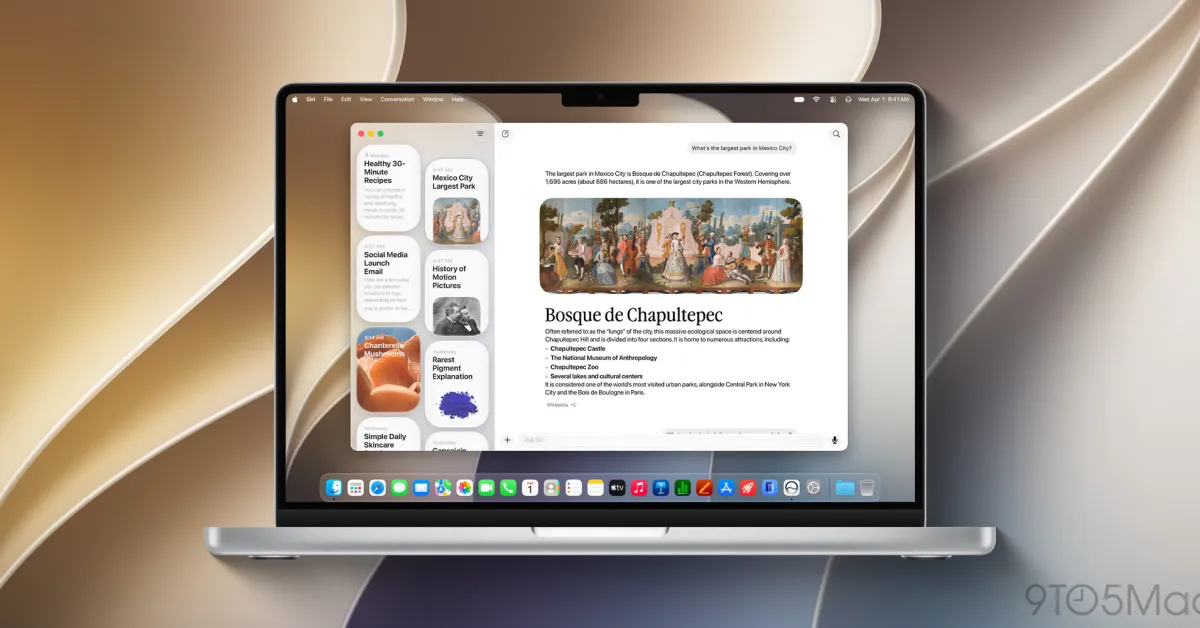
Updates to Liquid Glass ensure exceptional readability with more uniform refraction and improved contrast. Uniform toolbars, edge-to-edge sidebars, and updated window shapes and menu bar icons deliver a more refined design. And a new slider lets you easily customize how Liquid Glass looks, from ultraclear to fully tinted.
Liquid Glass slider
macOS 27’s Liquid Glass slider is the most significant in terms of giving users control over the system appearance. Liquid Glass isn’t just a choice between Tinted and Clear now. The slider lets you dial in the precise amount of translucent warping or tinted consistency in Liquid Glass elements.
Updated window shapes
What Apple describes as “updated window shapes” is easily my favorite macOS 27 Golden Gate design change. This refers to the corner radius of app windows.
They’re not just updated in macOS 27 Golden Gate. Technically, apps made for macOS 26 Tahoe had an updated shape.
In macOS 27 Golden Gate, the window shape is consistent across all apps. Apps no longer need to be updated to the new macOS version to have the same corner radius as apps that come with the system. App icon jail still exists, but at least app windows look like they’re part of the same operating system.
Apple mentions updated menu bar icons as well. This specifically refers to the return of using far fewer menu bar icons in sub-menus across apps.
Across system apps, macOS 27 Golden Gate selectively uses menu bar icons instead of assigning an icon to almost every individual item.
Regular macOS 26 Tahoe users will instantly notice the updated sidebar design in macOS 27 Golden Gate. The Tahoe look is somewhat inset to create the visual effect that it’s floating on top of the window. Sidebars in macOS 27 Golden Gate just look like sidebars.
Personally, I found Tahoe’s sidebars to be one of the more charming and modern features, but the Golden Gate sidebar design is perfectly functional. It also retains the ability to see horizontally scrolling content underneath, maintaining the effect that they’re part of the app and not completely segmented.
Beyond these changes, Apple highlights macOS 27 Golden Gate design changes like improved legibility across toolbar controls, the return of sidebar icon color, and more prominent active window distinction.
macOS 27 Golden Gate is currently available in developer beta. A public beta version will arrive in July ahead of the official release later this fall.