Verdict
The Aqara Camera Hub G350 is textbook Aqara in that it tries to wear a lot of hats at once, and pretty much suceeds.
As an indoor camera, it’s seriously impressive. The dual-lens setup delivers crisp, detailed footage in pretty much any lighting, and the tracking feels deliberate rather than frantic. It’s easily one of the strongest cameras Aqara has put out.
As a smart home hub, it’s super useful, especially if you’re already using Aqara gear or want a straightforward way to bring Zigbee devices into a Matter setup.
But the headline feature, Matter camera support, isn’t quite there yet. It technically works, but it’s early, limited, and not something you should be relying on right now; but will definitely get better.
Look past that for the moment and you’ve got a powerful, flexible indoor camera that does far more than most and will become more flexible in time.
Aqara made plenty of noise at CES this year, as it always does; rolling out a wave of new devices, but the standout was the Aqara Camera Hub G350, the model I’m reviewing here.
It follows Aqara’s familiar playbook of blending categories, taking a standard indoor camera and turning it into something far more central to your smart home.
This is the brand’s first Matter-certified camera, but it also acts as a Zigbee hub, a Matter controller, and a Thread border router, all in one device.
On paper, it’s no slouch as a camera either. The dual-lens setup combines a 4K wide-angle lens with a 2.5K telephoto, delivering up to 9x hybrid zoom.
Add pan and tilt movement and a deep set of AI features into the mix and it looks like it can do just about everything.
It also claims another first as a Matter-enabled security camera, although that comes with a few caveats right now.
Read on for my full review…
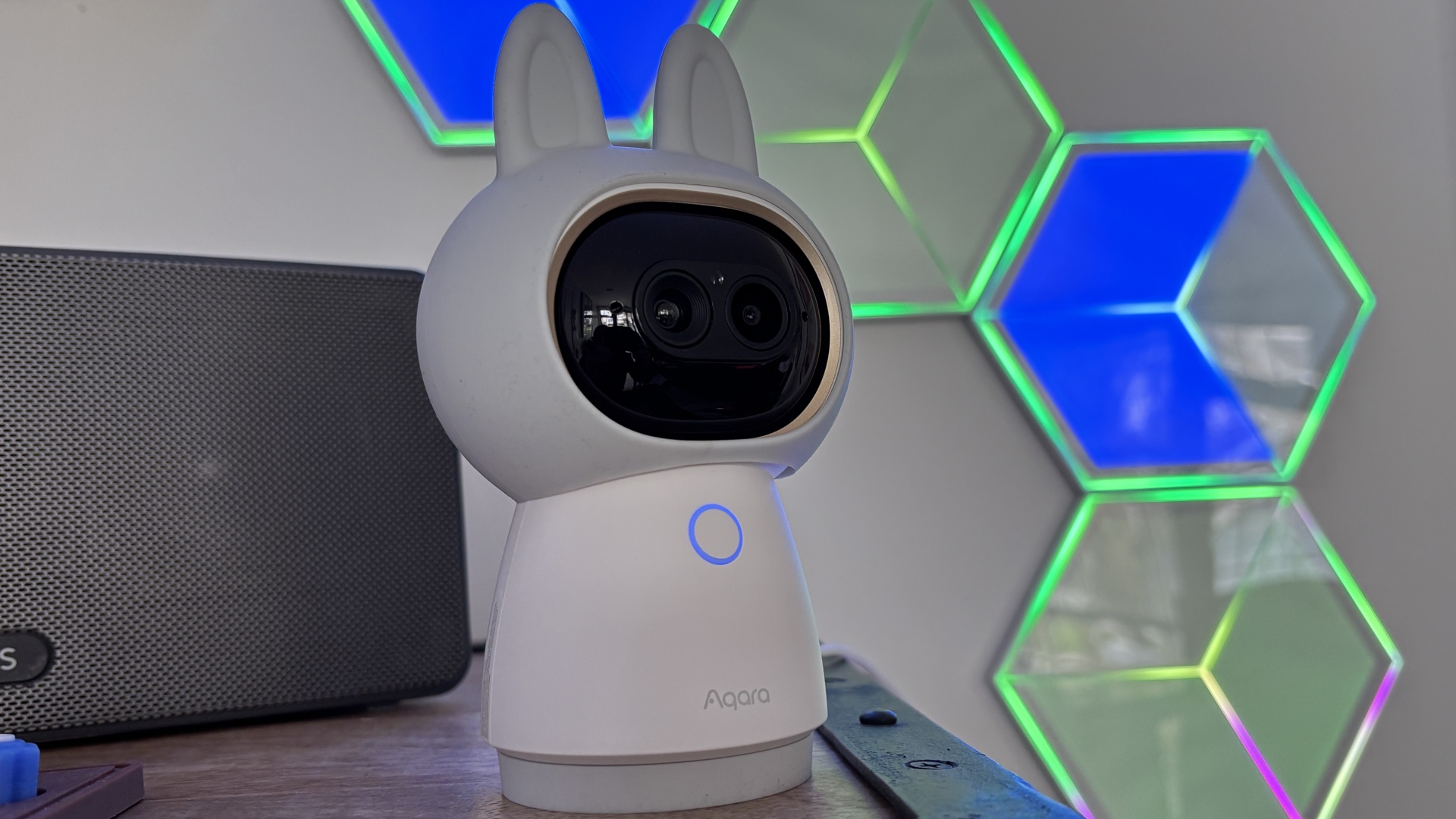
Anyone familiar with the Aqara Camera Hub G3 will recognize the design direction immediately. The G350 sticks with that playful, almost character-like look, complete with the signature “ears.”
It’s quirky, no question. Whether that works in your home is going to be a personal call.
There is some flexibility though as the outer shell is a removable silicone sleeve, so you can tone things down if you want something that blends in a bit more and looks less cutesy.
Privacy mode is handled nicely; when you turn the camera off, the lens physically rotates up into the housing, leaving a pair of small “eyes” behind. It’s a simple but effective way to make it clear when the camera isn’t watching.
The unit feels solid, and there’s a mounting thread on the base if you want to install it more permanently.
Aqara includes a USB-C cable, but you’ll need to supply your own power adapter.
A small LED ring on the front provides status feedback without being distracting, and you’ll find the Aqara and Matter QR codes on the back of the unit, and the HomeKit QR code on the base.
Setup is quick and painless using the Aqara Home app and will be very familiar for anyone who has used any Aqara devices in the past.
Simply plug it in, open the app, and the camera is detected almost instantly. The device even provides voice prompts to guide you through the process.
Once it’s up and running, it becomes clear this is far more than just a camera.
It functions as a Matter controller, a Thread border router, and a Zigbee hub, making it a central piece of a broader smart home setup.
Aqara smart home devices can be bridged into platforms like Apple Home, Google Home, and Amazon Alexa, and in testing, that integration worked reliably, including with Home Assistant.
Storage options are wide-ranging. You can record locally to a microSD card (the slot is the “mouth”), back up to NAS, use Aqara’s HomeGuardian cloud service, or rely on iCloud through HomeKit Secure Video (HSV).
If you take the native HomeKit path, you are limited to Full HD 1080p video. The 4K resolution is only available directly through Aqara app. That’s not Aqara’s doing, that’s a normal HSV limitation.
Aqara’s subscription unlocks more advanced AI features like searchable timelines and extended cloud storage, but even without it, you still get a solid set of detection features and event history.
AI detection is extensive, covering people, pets, faces, gestures, and sounds. It’s one of the more comprehensive systems available, although some of the more advanced capabilities sit behind the paywall.
RTSP support is also included, which is a big plus for anyone running a local NVR setup.
Then there’s Matter support, which is where things get a bit complicated.
At the moment, if you want to run this as a Matter camera, you’ll need SmartThings, which is still the only ecosystem that supports Matter camera streams. Even then, it feels very early.
I had the G350 in for a couple of weeks ahead of its official reveal and, during that time, every attempt to add it via Matter, whether through SmartThings or other platforms, saw it show up as a Matter Bridge instead; which is obviously a feature a lot of people will want… but I wanted to test it as a Matter camera.
A firmware update rolled out towards the end of March that shifted things slightly. After a factory reset, I paired it with my Aeotec SmartThings Hub using the standard Matter setup flow, and this time it did appear as a camera in SmartThings… although not before prompting me to install a ‘SmartThings Video’ update.
Even so, functionality is pretty limited right now. The interface suggests support for pan and tilt, along with zoom controls, but none of those actually responded during testing.
There’s also a settings section packed with options like night vision, watermarking and on-screen text, but again, they didn’t seem to have any effect.
A couple of controls worked: Volume adjustment was fine, and resolution could be changed, though it tops out at 1080p when streaming through SmartThings over Matter.
So yes, Matter support is technically there, and fair play to SmartThings and Aqara for getting in early, but it’s not something you’d want to rely on just yet. It still feels like a work in progress rather than a finished feature.
One other quirk: switching on Matter camera mode disables the device’s ability to function as a Matter bridge, which is a slightly odd compromise.
Away from Matter, the G350 performs extremely well.
The dual-lens system is the highlight. The 4K wide-angle lens provides full-room coverage, while the 2.5K telephoto lens handles detail work. Together, they deliver a versatile and sharp image with up to 9x hybrid zoom.
Image quality is consistently strong, with accurate colors and good detail retention. It avoids the overly processed look that some cameras fall into, instead offering a more natural presentation.
Low-light performance is also impressive. The use of invisible infrared lighting combined with a wide aperture results in cleaner night footage with less noise than many competitors.
The pan and tilt system is smooth, and the AI tracking is one of the better implementations available. It keeps subjects framed well and adjusts zoom intelligently without feeling erratic.
Even in darker conditions, tracking remains dependable.
Live view loads quickly, and two-way audio works as expected, making for a responsive overall experience.
There are lots of playback options, the filtering is easy to use and there a number of ways to view your recorded clips including a timeline, thumbnails and an event history screen.
The Aqara Camera Hub G350 is an ambitious device that largely delivers. It’s an excellent indoor camera and a genuinely useful smart home hub, rolled into one.
The Matter camera angle is more of an early preview than a finished feature right now, so it shouldn’t be the main reason to buy.
If you’re comfortable with that, you’re getting a highly capable camera with plenty of flexibility and room to grow as the ecosystem catches up. If you’re after something more standard, our guide to the best smart home security cameras can help.
When we publish our reviews, you can rest assured that they are the result of “living with” long term tests.
Smart security cameras usually live within an ecosystem, or a range of products that – supposedly – all work in harmony. Therefore, it’s impossible to use a security camera for a week and deliver a verdict.
Because we’re testing smart home kit all day, everyday, we know what matters and how a particular camera compares to alternatives that you might also be considering.
Our reviews are comprehensive, objective and fair and, of course, we are never paid directly to review a device.
Read our guide on our review process for smart security cameras to learn more.