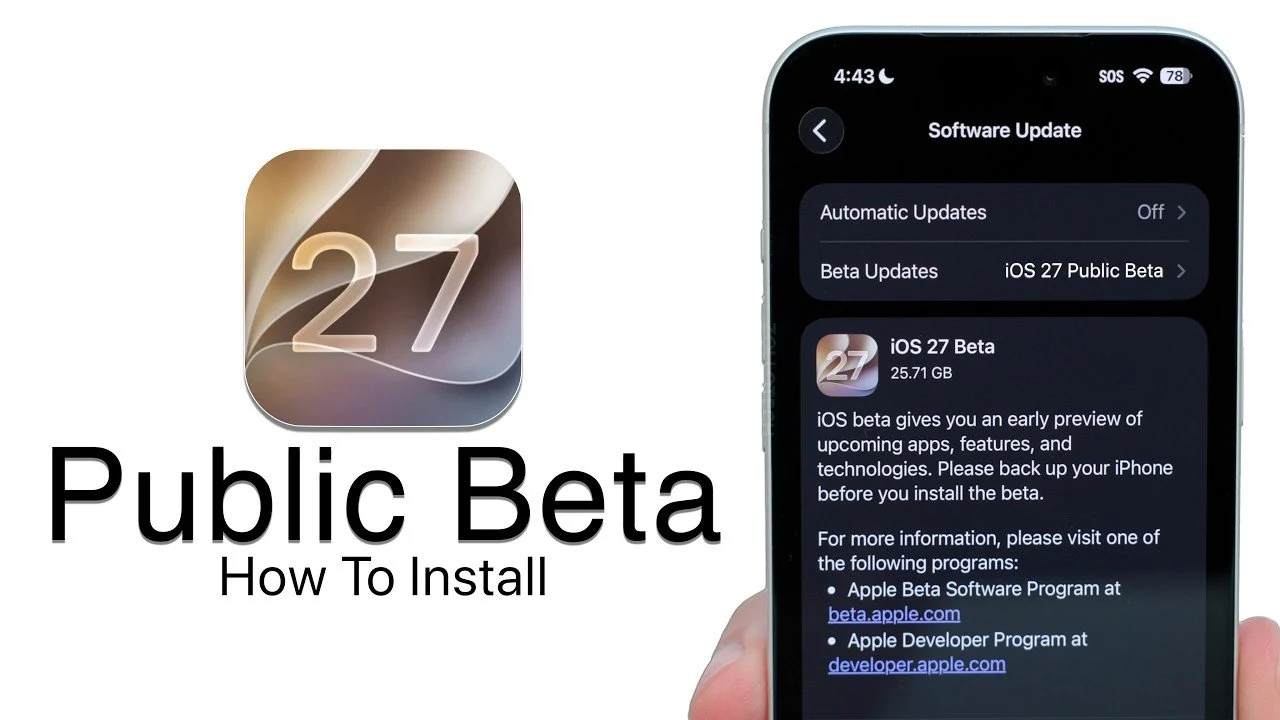
Apple has officially released the iOS 27 public beta, giving you an opportunity to explore its latest features ahead of the final launch. This version offers a preview of enhancements and improvements that aim to refine your iPhone experience. Whether you’re a seasoned beta tester or new to the process, the video below from Zollotech will walk you through the steps to install the beta, highlight key precautions, and explain how you can contribute to Apple’s development efforts.

1: Back Up Your Device
Before installing the iOS 27 public beta, it is critical to back up your device. Beta software is inherently experimental and may contain bugs or glitches that could disrupt your device’s functionality. A backup ensures your data and settings are secure, allowing you to restore them if needed. Here are the recommended backup methods:
- iCloud Backup: Open Settings, tap your name, navigate to iCloud > iCloud Backup and select “Back Up Now.”
- iTunes Backup (Windows): Connect your device to your PC, open iTunes and click “Back Up Now.”
- Finder Backup (Mac): For macOS Catalina or later, connect your device, open Finder and choose “Back Up Now.”
This step is non-negotiable. A backup acts as a safety net, protecting your data and making sure you can revert to a stable iOS version if necessary.
2: Enroll in the Apple Beta Software Program
To access the iOS 27 public beta, you must first enroll in Apple’s Beta Software Program. This program allows you to test pre-release software and provide feedback to Apple. Follow these steps to enroll:
- Visit beta.apple.com using Safari on your iPhone.
- Sign in with your Apple ID. If you’re new to the program, create an account.
- Under “Get Started,” select “Enroll Your Devices” and follow the instructions to download the beta profile.
Once your device is enrolled, you’ll be able to download and install beta updates through the Software Update section in Settings.
3: Enable Beta Updates
After enrolling, you’ll need to activate beta updates on your device. This process ensures your iPhone is configured to receive the iOS 27 public beta. Here’s how to proceed:
- Open Settings and navigate to General > Software Update.
- Tap “Beta Updates” and select the iOS 27 Public Beta option.
- Choose “Download and Install” to begin the update process.
Beta updates can be large, often exceeding 25 GB, so ensure your device has sufficient storage space and is connected to a reliable Wi-Fi network. Additionally, keep your device charged or plugged in during the installation to avoid interruptions.
4: Explore New Features
The iOS 27 public beta introduces a range of new features designed to enhance usability and performance. While still in development, these updates provide a glimpse into Apple’s vision for the next-generation iPhone experience. Key highlights include:
- Enhanced Siri AI: Siri now delivers faster responses and improved contextual understanding, making interactions more intuitive.
- Advanced Machine Learning: System-wide AI enhancements offer smarter app recommendations and personalized functionality tailored to your usage patterns.
- Redesigned Widgets: Widgets are now more interactive, allowing you to perform quick actions directly from the home screen.
- Improved Privacy Features: New privacy tools provide greater control over app permissions and data sharing.
While these features are exciting, it’s important to remember that beta software may include bugs or incomplete functionality. Apple provides detailed release notes with each beta update, outlining known issues and areas still under development.
5: Overview Bugs and Provide Feedback
As a beta tester, your role extends beyond simply exploring new features. Apple relies on user feedback to identify and resolve issues before the final release. The Feedback app, pre-installed on devices running the beta, allows you to overview bugs, suggest improvements and share your experiences. When submitting feedback:
- Clearly describe the issue you encountered.
- Provide steps to reproduce the problem, if applicable.
- Attach screenshots or screen recordings to illustrate the issue.
Your input is invaluable in helping Apple refine iOS 27 and deliver a polished final version.
Stay Updated on Beta Releases
Apple typically releases multiple beta updates before the official launch of a new iOS version. These updates address bugs, improve stability and introduce refinements based on user feedback. You can expect approximately 4-5 beta iterations over the coming weeks. The final version of iOS 27 is anticipated to launch in mid-September, coinciding with the release of the next iPhone.
Key Reminders for Beta Testers
- Always back up your device before installing beta software to safeguard your data.
- Be prepared for potential bugs, crashes, and performance issues, as beta software is still under development.
- Use the Feedback app to review problems and contribute to the improvement of iOS 27.
By following these steps and keeping these reminders in mind, you can safely explore the iOS 27 public beta while playing an active role in shaping Apple’s next-generation software. This process not only allows you to experience new features early but also helps Apple deliver a more refined and reliable final release.
Gain further expertise in iOS 27 Public Beta by checking out these recommendations.
Source & Image Credit: zollotech
Disclosure: Some of our articles include affiliate links. If you buy something through one of these links, techschimp Gadgets may earn an affiliate commission. Learn about our Disclosure Policy.