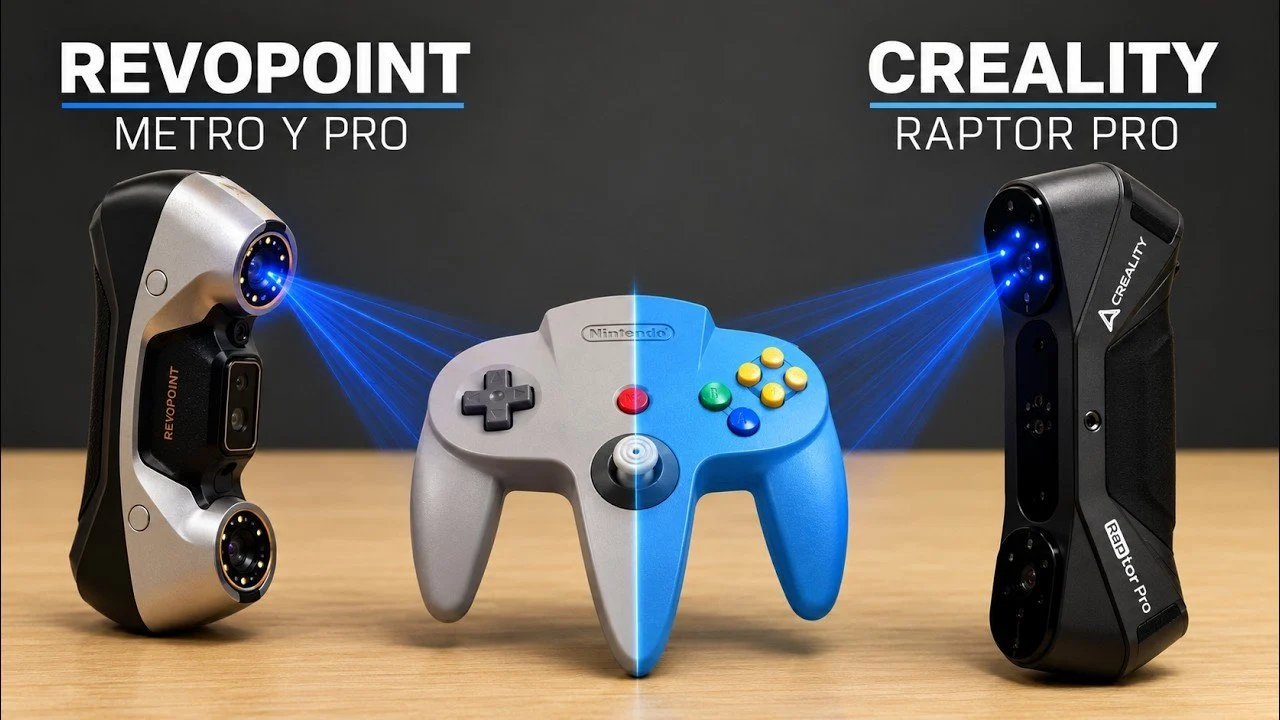
Choosing the right 3D scanner can make or break the success of your projects, especially when precision and efficiency are non-negotiable. In a recent feature by CNC Kitchen, two popular models, the Creality Raptor Pro and the Revopoint Metro Y Pro, were put to the test to evaluate their performance in real-world scenarios. While both scanners offer similar accuracy ranges, the Raptor Pro stood out for its ability to deliver consistently sharp scans with minimal setup, even on challenging materials like shiny metals. By contrast, the Metro Y Pro, despite its flexibility and range of accessories, struggled with software stability and required more effort to achieve comparable results.
Dive into this detailed breakdown to understand how each scanner performs across key metrics. You’ll gain insight into the Raptor Pro’s streamlined calibration process and user-friendly software, as well as the Metro Y Pro’s strengths in versatility and larger object scanning. Additionally, discover practical tips for optimizing your scanning workflow, from preparing tricky surfaces to using scanning markers for enhanced accuracy. This feature provides the clarity you need to determine which scanner best aligns with your specific needs.
The Importance of 3D Scanners
TL;DR Key Takeaways :
- The Creality Raptor Pro stands out for its superior scan quality, intuitive software and reliable performance, making it ideal for professionals and hobbyists handling diverse materials.
- The Revopoint Metro Y Pro offers versatility with features like a rotary table and multiple scanning modes but struggles with consistency, software reliability and fine detail capture.
- Both scanners provide comparable accuracy (±0.02–0.03 mm), but the Raptor Pro delivers crisper scans with less effort and a smoother user experience.
- 3D scanners require preparation for challenging surfaces (e.g., reflective or dark materials) and do not produce directly editable CAD files, which may limit workflow integration.
- To optimize 3D scanning, ensure proper hardware, use scanning markers, prepare materials as needed and keep firmware/software updated for best results.
3D scanners have become indispensable tools across various industries, including manufacturing, design and quality control. They enable you to:
- Reverse-engineer components for replication, improvement, or customization.
- Inspect complex geometries to identify defects, deviations, or wear.
- Create highly detailed digital models for prototyping, visualization, or archival purposes.
Despite their versatility, 3D scanners have inherent limitations. Scanning reflective, dark, or transparent surfaces often requires additional preparation, such as applying scanning sprays or markers, to ensure accurate results. Furthermore, while these devices generate detailed mesh files, they do not produce directly editable CAD files, which may limit their integration into certain workflows. Understanding these constraints is essential to maximizing the utility of your scanner.
Creality Raptor Pro: High-Performance Scanning
The Creality Raptor Pro is designed to deliver exceptional performance with minimal effort, making it a preferred choice for professionals and hobbyists alike. Its ability to handle a wide range of materials, including shiny metals and dark plastics, without extensive preparation sets it apart. Key features include:
- Consistently sharp and detailed scans, even for small objects or intricate features.
- Responsive and user-friendly software that minimizes lag and streamlines the scanning process.
- Multiple scanning modes tailored to different tasks, such as capturing small parts or human models.
One of the standout aspects of the Raptor Pro is its straightforward calibration process, which ensures that even beginners can achieve excellent results. Its reliable performance and precision make it a strong contender for a wide range of applications, from industrial design to creative projects.

Become an expert in Creality with the help of our in-depth articles and helpful guides.
Revopoint Metro Y Pro: Versatility with Trade-offs
The Revopoint Metro Y Pro offers a range of features and accessories that enhance its flexibility. These include a rotary table and a battery handle, which make it suitable for both handheld and stationary scanning. Additionally, it features four scanning modes, including a single-line laser for capturing deep features. However, its performance is less consistent compared to the Creality Raptor Pro. Notable drawbacks include:
- Challenges in capturing fine details and reflective surfaces without significant adjustments or preparation.
- Software issues, such as frequent lag, slower processing speeds and occasional crashes.
- Better suited for scanning larger objects, such as vehicles, but less reliable for precision tasks requiring high accuracy.
While the Metro Y Pro’s versatility makes it appealing for certain scenarios, its limitations in accuracy and software stability may frustrate users working on detailed or time-sensitive projects. It is best suited for those who prioritize flexibility and are willing to invest additional time in adjustments and troubleshooting.
Accuracy and User Experience
Both the Creality Raptor Pro and the Revopoint Metro Y Pro offer comparable accuracy, with tolerances of approximately ±0.02–0.03 mm. However, the Raptor Pro consistently delivers crisper and more detailed scans with less effort. Its intuitive software and smooth calibration process make it accessible to users of all experience levels, allowing for a seamless workflow. In contrast, the Metro Y Pro often requires more adjustments and patience to achieve optimal results, which can slow down productivity and increase frustration.
Optimizing Your 3D Scanning Workflow
To maximize the performance of your 3D scanner and achieve the best possible results, consider the following practical tips:
- Ensure your computer meets or exceeds the hardware requirements for the scanning software to avoid performance bottlenecks.
- Use scanning markers to enhance accuracy, particularly when working with large or featureless surfaces.
- Prepare challenging materials, such as shiny or dark surfaces, by applying scanning sprays or other techniques to improve scan quality.
- Regularly update your scanner’s firmware and software to benefit from the latest features and bug fixes.
By understanding the strengths and limitations of your scanner and following these best practices, you can optimize its performance and avoid common pitfalls.
Making the Right Choice
When deciding between the Creality Raptor Pro and the Revopoint Metro Y Pro, your choice should be guided by your specific needs and project requirements. If you prioritize ease of use, superior scan quality and reliable software, the Creality Raptor Pro is the clear winner. Its ability to handle diverse materials with minimal effort makes it an excellent choice for professionals and hobbyists alike. On the other hand, the Revopoint Metro Y Pro may appeal to users who value versatility and need to scan larger objects. However, be prepared to invest more time in adjustments and troubleshooting its software.
Ultimately, understanding the capabilities and limitations of each scanner will enable you to make an informed decision that aligns with your goals. Whether you’re working on intricate designs, large-scale projects, or creative endeavors, selecting the right 3D scanner is the first step toward achieving precision and efficiency in your work.
Media Credit: CNC Kitchen
Disclosure: Some of our articles include affiliate links. If you buy something through one of these links, techschimp Gadgets may earn an affiliate commission. Learn about our Disclosure Policy.