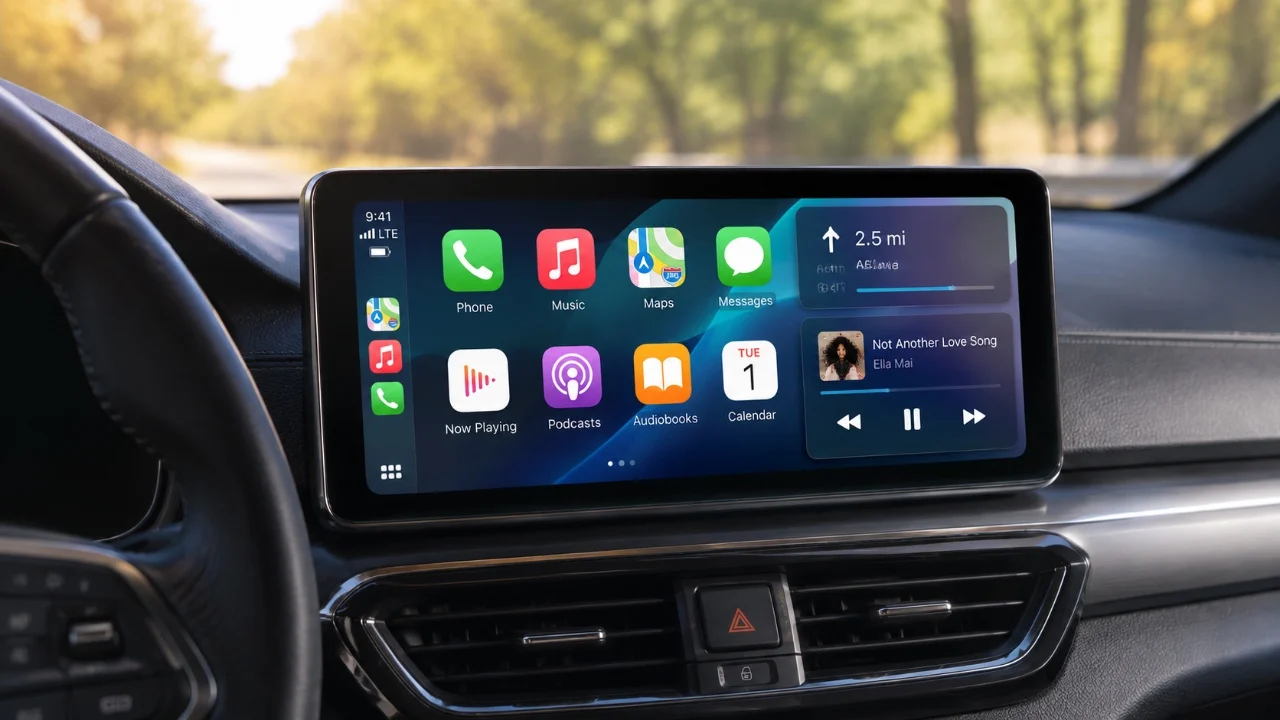
Apple CarPlay is a powerful platform designed to enhance your driving experience, offering much more than just basic dashboard functionality. While many users stick to its standard features, CarPlay is packed with advanced tools that can make your journeys safer, more efficient and enjoyable. By exploring its full range of capabilities, you can transform how you interact with your vehicle and your smartphone on the road. The video below from HotshotTek shows us a range of awesome Apple CarPlay features.

Streamline Navigation with Siri
Siri acts as your hands-free Copilot, simplifying navigation and making sure your focus remains on the road. With voice commands, you can seamlessly access third-party navigation apps like Google Maps, Waze, or MapQuest. For example, saying, “Hey Siri, navigate to the nearest gas station using Waze,” provides real-time directions without requiring you to touch your device.
Beyond navigation, Siri allows you to share your estimated time of arrival (ETA) with contacts or overview road hazards such as accidents or closures. This feature keeps you connected and informed while minimizing distractions. To activate Siri, simply press and hold the voice button on your steering wheel. By using Siri’s capabilities, you can enjoy a safer, more efficient driving experience.
Enhance Your Audio Experience
CarPlay’s integration with Apple Music and other audio apps improves your in-car entertainment. Features like Automix create seamless transitions between tracks, though allowing this requires turning off high-resolution lossless audio.
For collaborative listening, you can generate a QR code that passengers can scan to control playback without disconnecting your device. Additionally, pinning up to six playlists, albums, or artists ensures your favorite music is always within easy reach. These features make it simple to customize your audio experience, keeping your drives enjoyable and stress-free.
Customize the Interface to Your Needs
Personalizing CarPlay’s interface can significantly improve usability and convenience. Rearrange and prioritize apps in the settings menu to ensure your most-used tools are easily accessible. You can also adjust widgets by disabling smart rotation or modifying suggestions to display only the most relevant information.
For added personalization, change the wallpaper or icon styles to match your car’s interior or your aesthetic preferences. These small adjustments not only enhance the visual appeal but also make navigating the interface more intuitive.
Optimize Performance and Troubleshoot Issues
If you experience lag or connectivity issues, switching from wireless to wired CarPlay can provide a more stable connection. To reduce distractions, disable automatic media playback when connecting your iPhone by setting up a shortcut.
You can also prevent CarPlay from auto-connecting to shared vehicles, such as rentals or family cars, by adjusting your iPhone’s settings. For navigation, independently control the volume of voice prompts without affecting your music playback levels. These optimizations ensure a smoother and more reliable CarPlay experience.
Explore Lesser-Known Features
CarPlay includes several hidden features that can add significant value to your driving experience:
- Use your Apple Watch’s Backtrack feature to quickly locate your parked car.
- Disable CarPlay screenshots from being captured alongside your iPhone screenshots to maintain privacy.
- Access real-time gas prices through apps like AAA or Google Maps to find the best deals nearby.
These lesser-known tools can enhance convenience and functionality, making your time on the road even more productive.
Fine-Tune Display Settings
Optimizing CarPlay’s display settings can improve readability and usability, particularly on smaller screens. Enable smart display zoom to enhance text clarity and interface scaling. Adjust widget layouts to create a cleaner, more streamlined appearance, reducing clutter and making essential information easier to access. These adjustments ensure that your CarPlay interface is both visually appealing and user-friendly.
Maximize Your Driving Experience
Apple CarPlay is far more than a basic infotainment system, it’s a versatile, hands-free assistant designed to make your time on the road safer, more efficient and enjoyable. From Siri-powered navigation to advanced music controls, personalized interface settings and hidden features, CarPlay offers tools that cater to a wide range of needs. By exploring and using these features, you can unlock its full potential and elevate your driving experience to new heights.
Browse through more resources below from our in-depth content covering more areas on Apple CarPlay features.
Source & Image Credit: HotshotTek
Disclosure: Some of our articles include affiliate links. If you buy something through one of these links, techschimp Gadgets may earn an affiliate commission. Learn about our Disclosure Policy.