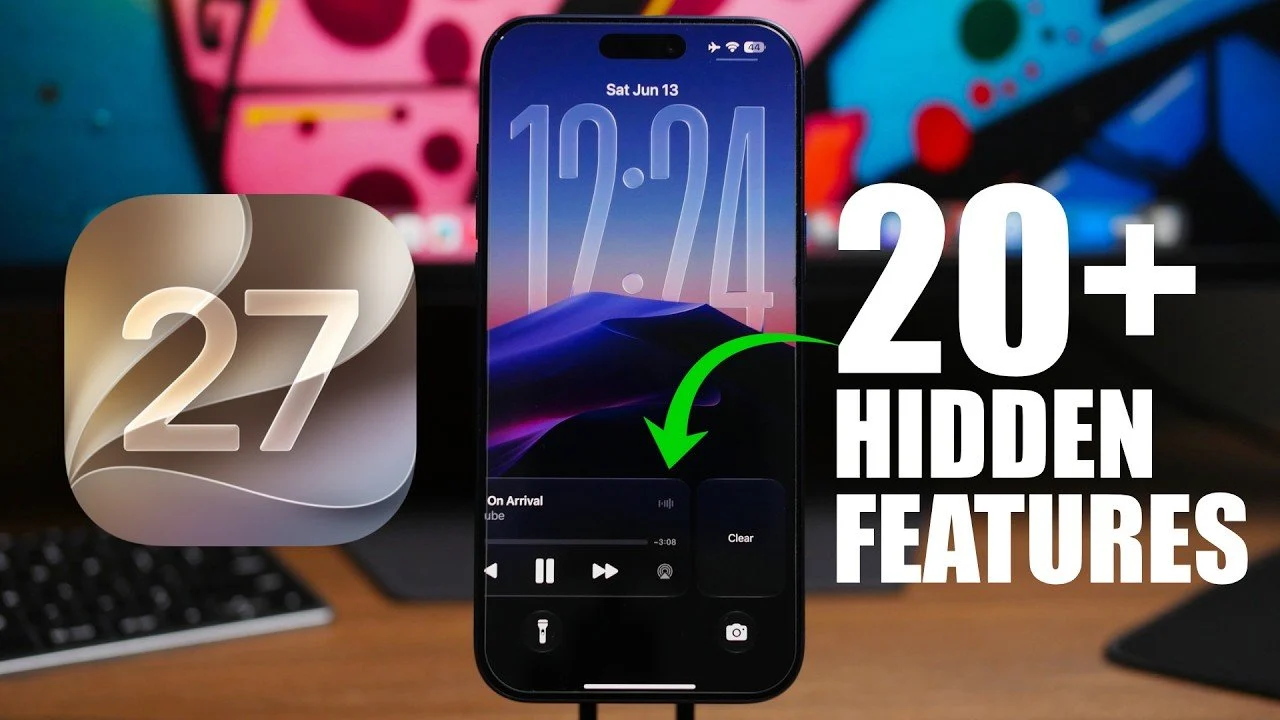
iOS 27 introduces a range of subtle yet impactful features designed to enhance your daily interactions with your device. With smarter tools, improved customization, and seamless functionality, this update focuses on refining the user experience. From AI-driven shortcuts to interactive widgets, iOS 27 offers practical enhancements that cater to diverse needs. Let’s explore the most notable improvements in detail. The video below from iReviews gives us more details on the new iOS 27.

Control Center: Smarter, Sleeker, and More Functional
The redesigned Control Center in iOS 27 prioritizes usability and personalization. You can now resize the connectivity widget with four distinct size options, allowing you to tailor its appearance to your preferences. The timer interface has been revamped with haptic feedback, allowing precise adjustments with a tactile response. Additionally, the power-down menu now features liquid glass sliders and updated buttons, combining sleek aesthetics with enhanced functionality. These updates ensure that essential controls are both intuitive and visually appealing.
AI-Powered Shortcuts and Automations
Automation in iOS 27 uses advanced AI to simplify your routine. The system now provides shortcut suggestions based on your daily habits, helping you save time by anticipating your needs. New triggers allow automations to activate in response to app or contact notifications, allowing a more tailored and efficient workflow. Whether it’s setting reminders or managing tasks, these enhancements make automation smarter and more practical.
Expanded Lock Screen Customization
Lock screen personalization has been taken to the next level in iOS 27. You can now dismiss the music player like a notification, keeping your lock screen clutter-free. For those who prefer a minimalist aesthetic, a sleek clock design offers a modern and understated look. These updates provide greater control over how your lock screen appears and functions, making sure it aligns with your style and preferences.
Streamlined Weather App Features
The Weather app has been optimized for quicker access to essential information. Quick-switch buttons for conditions like rain, wind and temperature allow you to view relevant data instantly. This streamlined approach ensures you stay informed about changing weather conditions with minimal effort, making the app more practical for everyday use.
Keyboard and Clipboard Enhancements
Efficiency is at the forefront of iOS 27’s keyboard and clipboard updates. Clipboard suggestions now appear above the keyboard, displaying the source app for easy reference. Additionally, you can paste screenshots directly from the clipboard, eliminating unnecessary steps when working across apps. These features simplify multitasking and improve productivity, especially for users who frequently switch between applications.
Enhanced Safari Browsing Experience
Safari introduces several features to improve your browsing experience. The new “Notify Me” feature alerts you to changes on websites, such as price updates or availability notifications, making sure you never miss important updates. Tabs are now automatically grouped by topics, making it easier to organize and navigate your browsing sessions. These enhancements make Safari a more powerful tool for both casual and professional users.
Thoughtful Updates to the Phone App
The Phone app now integrates birthday reminders for your contacts. If it’s someone’s birthday during a call, you’ll receive a gentle prompt, adding a thoughtful touch to your interactions. This small but meaningful feature enhances communication by helping you stay connected on a more personal level.
Smarter Connectivity Management
Connectivity optimization in iOS 27 uses AI to intelligently manage Wi-Fi and cellular data. Whether you’re streaming, browsing, or participating in a video call, the system ensures a smoother and more reliable connection. These improvements reduce interruptions and enhance overall performance, making your device more dependable in various scenarios.
Interactive Widgets for Greater Control
Interactive widgets in iOS 27 offer a new level of customization and functionality. These full-screen, transparent widgets allow you to streamline your home screen while accessing key functions directly. By integrating essential tools into your home screen, these widgets provide a more personalized and efficient interface.
Photos App: Organize and Enhance Your Memories
The Photos app introduces powerful new tools for organization and accessibility. A “Captured by Me” folder automatically categorizes photos taken with your iPhone, simplifying photo management. You can now add keywords and ratings to photos, making searches faster and more intuitive. Additionally, video frames can be saved as photos and subtitles are available for videos within the app, enhancing usability and accessibility for all users.
Creative Messaging with iMessage
iMessage now includes a drawing tool that lets you create and send sketches directly within conversations. This feature adds a creative and personal touch to your messages, making communication more engaging and expressive. Whether you’re sharing ideas or simply having fun, this tool enhances the messaging experience.
Improved Battery Management
Battery management in iOS 27 has been refined to provide practical benefits. A new 1% battery warning notification offers an extra reminder to charge your device before it powers down. Low Power Mode has also been improved to minimize performance stuttering while extending battery life, making sure your device remains functional for longer periods.
Dual Device Phone Number Support
For users managing multiple devices, iOS 27 introduces support for using one phone number across two devices. This feature simplifies communication by making sure seamless connectivity, whether you’re switching between devices or using them simultaneously. It’s a practical solution for professionals and multitaskers alike.
Elevate Your Experience with iOS 27
iOS 27 exemplifies Apple’s commitment to enhancing user experience through thoughtful design and practical innovation. From AI-driven tools to expanded customization options, these updates cater to a wide range of needs. Whether you’re organizing photos, optimizing connectivity, or personalizing your lock screen, iOS 27 provides tools that make your device more intuitive, efficient, and enjoyable to use.
Uncover more insights about iOS 27 hidden features in the previous articles we have written.
Source & Image Credit: iReviews
Disclosure: Some of our articles include affiliate links. If you buy something through one of these links, techschimp Gadgets may earn an affiliate commission. Learn about our Disclosure Policy.