A good smart home should be one that quietly works away in the background, making life easier without input. And, one of the smartest ways to achieve that is with motion sensors and presence sensors.
Automatically detecting when someone is around, these sensors can trigger routines automatically, whether that’s turning on a light when someone enters a room at night, or shutting down the heating in a room when nobody is there.
In this guide, we’ve rounded up the best sensors that we’ve tested, plus we’re constantly reviewing more, so we’ll update this guide as new product become available.
Before we get into the main detail, it’s important to distinguish between motion sensors and presence sensors. Motion sensors are the more basic devices, using Passive Infrared (PIR) to detect heat changes caused by people (or pets) moving. These devices generally need quite a bit of movement to be triggered, and can register a room as empty if someone is sat very still, say watching a TV or even sat at a keyboard typing.
Presence sensors are more accurate using milimeter-wave (mmWave) radar, and can track micro-movement, even picking up someone breathing or typing at a computer. That means that they can keep detecting presence, even if you’re sat still, so are ideal for environments where there’s low movement. For example, you don’t want your heating to turn off when you’re sat quietly watching a film.
They need more configuration and careful placement to make sure they don’t pick up false positive, are more expensive than motion sensors, and battery life isn’t as good.
In addition to the type of sensor you want, it’s important to choose one that works with the smart home system of your choice. A device that uses Matter (over Thread or via a Bridge) can be useful, giving fast response times and wide compatibility.
Think about whether you can reuse a sensor, too. A Philips Hue Motion Sensor, for example, is ideal for lighting control, but it can also be a general purpose motion sensor, operating via Matter.
Think about other features that you might need, too. Some sensors also double up as temperature and light sensors, so you can trigger routines based on other factors, or even combine sensor readings into one rule: turn on the lights if there’s motion and it’s dark, for example.
To put this list together, our team of reviewers spent time living with each device across real smart home setups, testing how reliably sensors detected motion, how quickly they triggered connected devices and routines, how straightforward the setup process was, and how well each one held up in terms of build quality over extended use. Sensors that produced frequent false alerts or struggled to integrate cleanly with popular platforms didn’t make the cut, no matter how competitive the price.
Read on to find the best motion sensors you can buy today.
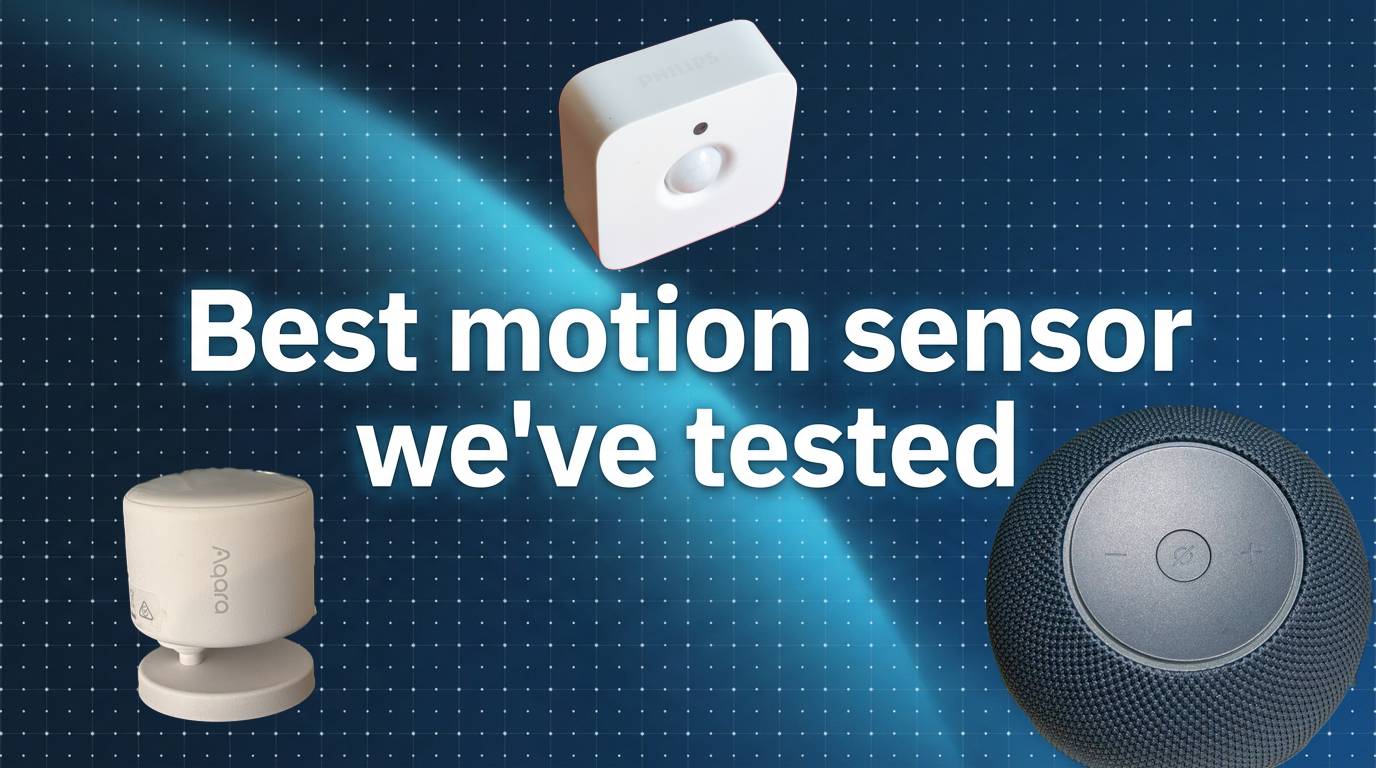
The Aqara Presence Multi-Sensor FP300 was the first battery-powered presence sensor that we’ve tested, and it combines mmWave radar with PIR motion detection, which means it picks up genuine presence as well as the subtle, small movements that a standard motion detector typically misses. The result is a far more accurate read on what is actually happening in a room.
You also get Thread, Zigbee and Matter support, so it should slot neatly into whatever smart home setup you are already running. For ease, you can use Thread and Matter to directly connect this presence sensor to the smart home system of your choice.
However, if you want the full range of features, including AI spatial learning, motion type selection and environmental sensitivity, Zigbee is the way to go, but you will need to connect it to a Aqara hub first.
Aqara’s wired presence sensors handle mapping and zone control better, but this battery-powered version wins on flexibility, particularly in spaces where running a cable is not practical. The catch is that battery life tops out at around two years, and that drops if you run it in mmWave-only mode. That mode delivers the sharpest precision, so it is a trade-off worth knowing about before you buy.
Where the FP300 really stands out is performance. Detection is reliable and near-instant (120° field of view and 6m range), with no false triggers. We set it up for a nighttime routine that switches lights on when someone enters and off when they leave, and the response was consistent every time. If all you need is a basic lights-on, lights-off solution, a regular motion detector will do; For genuine presence detection and far greater versatility, the Aqara FP300 is the one to get.
The Philips Hue Motion Sensor is primarily designed for use with Hue lighting system and requires a Bridge. It’s expensive for a PIR motion sensor, but you’re not so much paying for the hardware as you are for the tight lighting integration that it brings.
Rather than simple rules that turn lights on and off, this motion sensor gives you finer control. For starters, you can set different time slots, with different things happening in each one, and you can combine motion detection with ambient light detection.
For example, you might want bright lights to turn on during the day if it gets dark in the room, such as during an overcast winter’s day; at night, you may want a more gentle light to turn on.
After a set timeout period when no motion has been detected, you can turn the lights off again, or return them to their previous state. This logic is particularly powerful, here’s why. With general operation, the sensor only turns on lights if they’re off, but doesn’t do anything if you’ve set them to a scene manually. This prevents careful light control being overridden by someone walking past the sensor.
With the previous state logic, the sensor will change the lights any time motion is detected (if they’re on or off), but will go back to the previous setting after the timeout period. For example, you could have a hallway light come on very dim for the evening, as a nightlight; when motion is detected, the lights can brighten to show the way; and then, they go back to the nightlight setting.
Motion detection is very accurate (5m range and 100° field of view), the sensor is easy to install, and its two AAA batteries last for a long time; we’ve had one running for years and haven’t had to change the batteries.
Connect Hue to a Matter system, and the Hue Motion Sensor appears as both a motion sensor and light meter (readings in Lux), for automations elsewhere.
It’s expensive as a general-purpose motion sensor, but if you want fine lighting control with the option to use the sensor elsewhere via Matter, it’s a great buy.
The Amazon Echo Dot Max is the newest addition to Amazon’s Alexa speaker line and a genuine step up from its predecessor. What, you might be asking, is it doing on this list? Well, it has an ultrasound presence detection sensor built-in, as does the more expensive Echo Studio (2025).
This sensor sends out high-frequency sound waves to see if a person is in the room. And, like a mmWave sensor, the ultrasound system can pick up people even if they’re not moving around.
The downside with having this kind of sensor is that you may not naturally place your speaker in the best place for detection. With a standalone motion sensor, you can choose where to place it for ideal coverage.
The second downside is that the ultrasound motion sensor is only available for Amazon Alexa routines. If you use Homey, Apple Home or a different system, then you’re out of luck.
Assuming that you hit all of the right use cases, the Echo Dot Max’s ultrasound motion sensor is excellent. It’s easy to set up, and it works very reliably in our tests, picking us up even if we sat very still for a long period.
If you have an Echo Dot Max or Echo Studio, and use Amazon Alexa for routines, it’s well worth seeing if you can use the integrated presence sensor before you buy an external device.
The best DIY smart alarm system that we’ve tested, the Ring Alarm (2nd-gen) is a good example of where you can reuse sensors. It’s likely that you’ll have its Z-Wave motion sensors placed liberally around your home, so why double up with additional sensors?
With the Ring Alarm, third-party control is primarily via Amazon Alexa, although there are unofficial integrations, such as through Homey. All connections are via the cloud, which does limit the usefulness of the system a little, as the response times can be a little slow, and they’re reliant on you having a stable internet connection.
But, that’s probably not an issue if your needs are light. We’ve used Amazon Alexa and a Ring motion sensor in a routine that automatically turns off a Dyson fan heater when there’s motion for 10 minutes, and it’s worked reliably to save money. We found that this sensor’s 90° field of view is good enough to cover a room, particularly when the sensor is placed in a corner.
If we wanted motion to instantly turn on lights, then the Philips Hue Motion sensor or a presence sensor connected via Thread would make more sense.
Depending on your needs, reusing your Ring motion sensors in Alexa routines can be a good money saver, and saves having multiple sensors in each room.
It’s no longer just about PIR motion sensors, which struggle when people sit still, and there’s a growing range of presensce sensors that use mmWave tech to accurately detect when a person is around.
What you want, then, depends on your needs. For detailed and effective presence detection, the Aqara FP300 is the best product that we’ve tested.
If you want proper presence detection and don’t want to buy additional hardware, owners of the Echo Dot Max are covered with its integrated ultrasound sensor, provided they’re happy to automate via Amazon Alexa.
If you want to reuse motion sensors from other devices, there are some choices. The Philips Hue Motion Sensor is brilliant for automating Hue lights, working reliably and fast, but it can also operate as a motion/light sensor in a Matter compatible smart home system.
If you have a Ring Alarm and Alexa, then you can reuse the motion sensors you have in wider automations, although you will have to put up with a slower cloud connection.
We test all motion sensors in a real home environment, tested with real automations that run in a variety of smart home systems, including Apple Home, Amazon Alexa and Homey. For each device, we test how easy it is to set up, and how reliably it detects motion. We use a complicated environment with fans and other sources of movement, and see if sensors can avoid triggering at the wrong time.