9to5Mac is brought to you by Memoket: The Memoket Gem is an 11g AI wearable that slots beside your Apple Watch in a co-wear band. Press once to capture a conversation, and Gem connects it to what you discussed weeks ago — surfacing the earlier thread with a source link. From $179, shipping August 2026.
In 2023, early adopters were just getting to know ChatGPT and AI chatbot tech. Three years later, OpenAI’s Codex agent, now part of the ChatGPT desktop app, has brought about a similar season of learning. Here’s how I’m using ChatGPT, Codex, and more on my Mac.
The summer I turned Codex
Like a billion other people, ChatGPT has become a regular part of my tech stack. But I’m a writer, not a programmer, so Codex as an agentic coding app didn’t immediately appeal to me.
That started to change in April when Codex for Mac added Computer Use.
First, a brief history lesson.
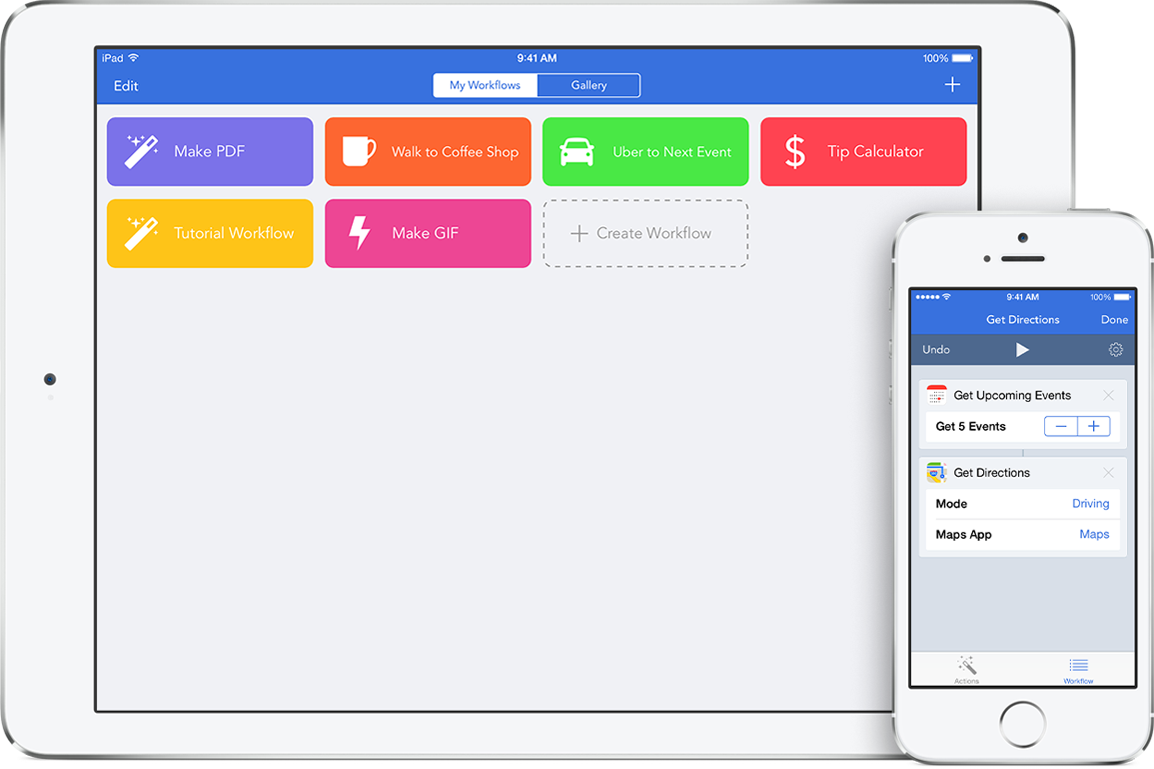
Back in December 2014, Ari Weinstein and friends launched a new iOS 8 app for mobile automation. Here’s my 9to5Mac coverage of Workflow’s launch, a friendlier version of OS X’s Automator made for iPhone and iPad.
In March 2017, Apple bought Workflow. Workflow gained system integration and became Apple Shortcuts with iOS 12 in 2018.
Weinstein and other Workflow veterans later left Apple to create Software Applications Incorporated. The startup previewed Sky, a modern AI assistant on the Mac, before being acquired by OpenAI.
Sky never publicly launched. Instead, Codex for Mac delivered the technology in April in the form of the Computer Use plugin.
Trusting an AI with using your Mac, especially in the background, requires a level of trust. I don’t know what my adoption of Codex and Computer Use would be like without the history behind it.
I just know that, for me, there was a great level of inherited trust and continuity that gave me confidence in the system.
Here’s where I admit that Workflow and Shortcuts never super clicked for me. I’ve used both systems with tools that others built, but I haven’t been a builder myself.
Codex has completely changed that, but not overnight.
ChatGPT to Codex to ChatGPT … a journey
I initially found Codex to be too intimidating and outside my comfort zone compared to ChatGPT. Now ChatGPT without Codex feels like a toy.
I’ve mentioned before that it was actually a toy-like feature inside Codex called Pets that served as the training wheels for me. (The real Codex pets are the personal projects you hatch along the way.)
I started using Codex daily in May. The first project I started with Codex is a Mac app called Flow — because it helps my story writing flow. It’s mostly a way to monitor app releases and updates.
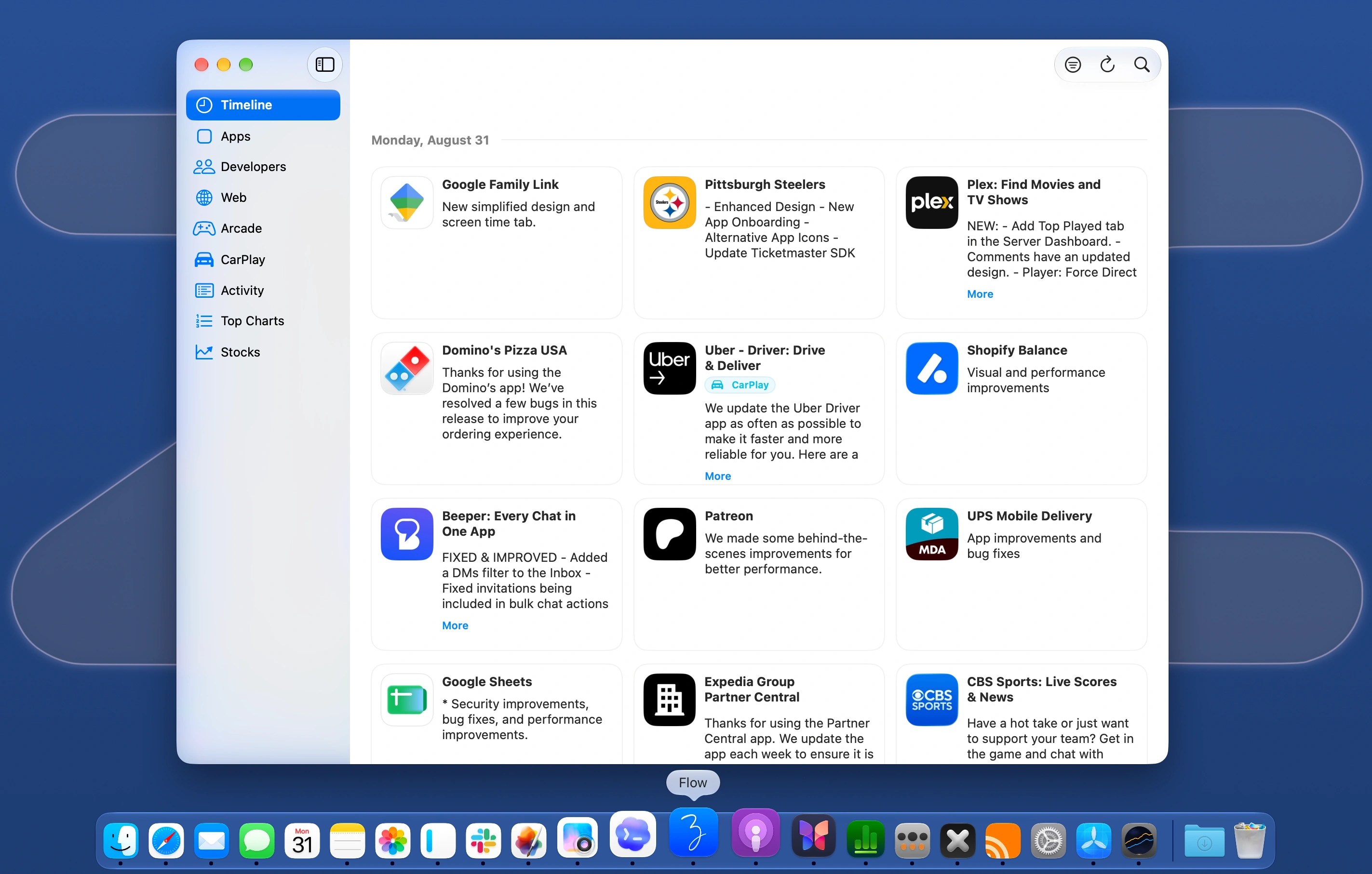
In my early 9to5Mac days, I used iTunes on the Mac for this purpose. It required local (and otherwise unusable) iPhone app files. More recently, I’ve used iPhone Mirroring to check the App Store on my iPhone for app updates as part of my work routine.
Describing this “workflow” to Codex started the process of building Flow. Being able to describe every little feature and change that I wanted, as if I was messaging a colleague, made it feel natural.
Because it’s my first project and built just for me, the icon is my first initial, handwritten by me (Apple Pencil, iPad Pro, Procreate), made with Apple’s Icon Composer Mac app.
Closing the loop
Because you can iterate forever, I’ve found it’s important to “close the loop” and consider a project mostly complete.
With Flow, I’ve definitely moved to the stage where I can measure the number of my 9to5Mac posts that originate from using the tool. This is an important distinction from measuring the amount of time spent invested into building the tool itself.
But because building with Codex has been such a joy, there are naturally other projects that have followed. You can just make your own Mac apps, specific to your very particular needs.
In my case, I’ve made more modern versions of apps I’ve used for years, tailored to my specific needs, right down to very specific narrow column widths.
This is very specific, but it’s very cool to me. I have a column view for social media, and a column view for RSS, on either side of my Mac display. Both are 275 pixels wide (and made for macOS 27 Golden Gate specifically). This is much narrower than the solutions I previously used, which weren’t even optimized for macOS 26.
Using X2 and Flume, I’m able to open up a significant amount of screen real estate in the middle without overlapping windows.
Social media and RSS are also mostly passive viewing apps for me. By default, toolbar button accent colors turn gray for non-active windows. But because these apps are made for me, I’m able to express that I prefer the touch of color to stay active, just desaturate a step, adding a splash of joy to my Mac.
But wait, there’s more
At this point, if you’re still reading, this post is probably starting to feel like the guy who just discovered going to the gym and can’t stop telling everyone about how great it makes them feel.
For that reason, I’ll just flag a few more hobby projects that Codex has unlocked for me.
First, Better Remote. It’s on the Mac App Store. If you’re already using your Mac, it makes tvOS feel like just another Mac app. Here’s a look at the update currently in the queue.
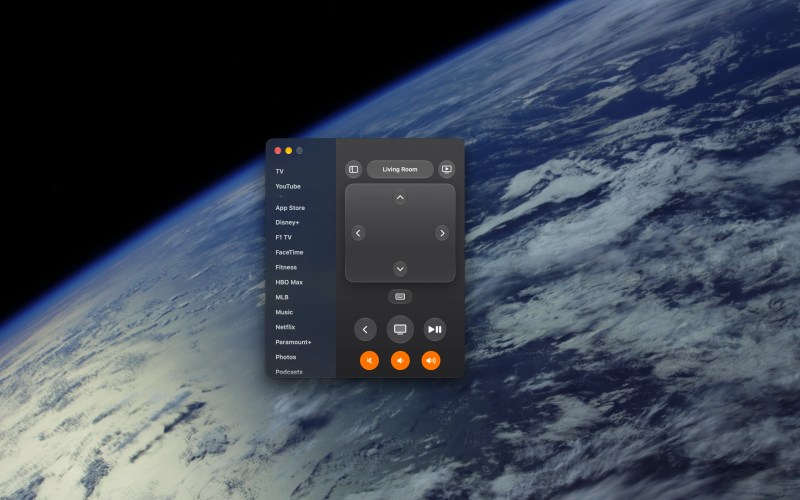
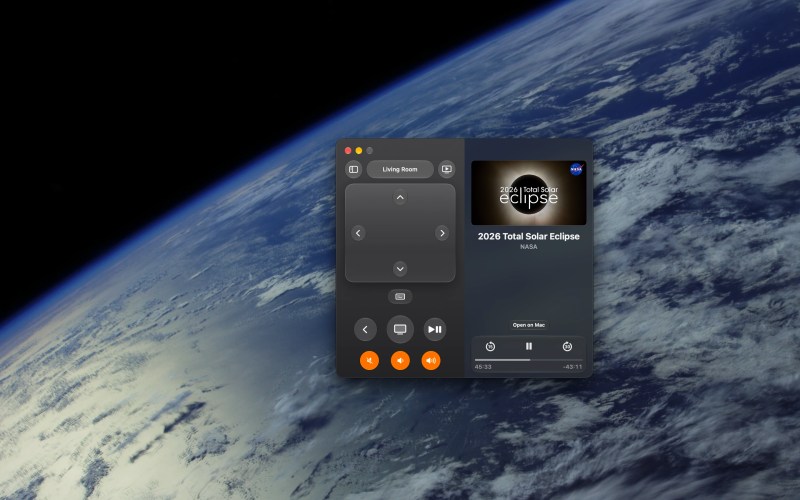
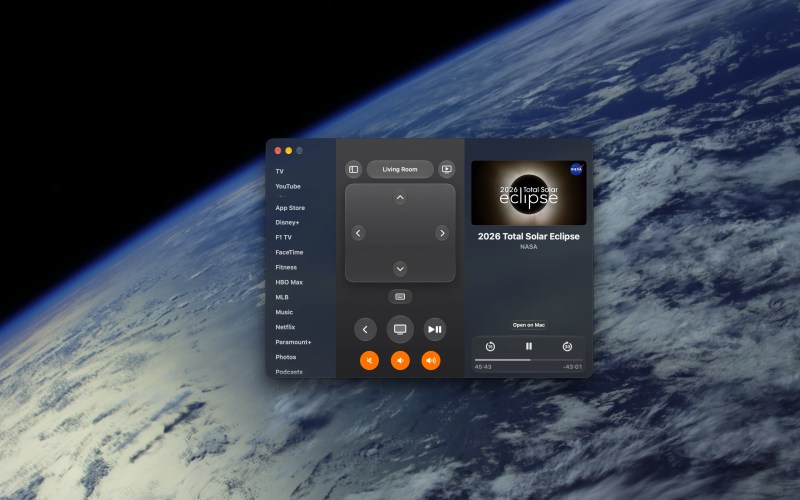
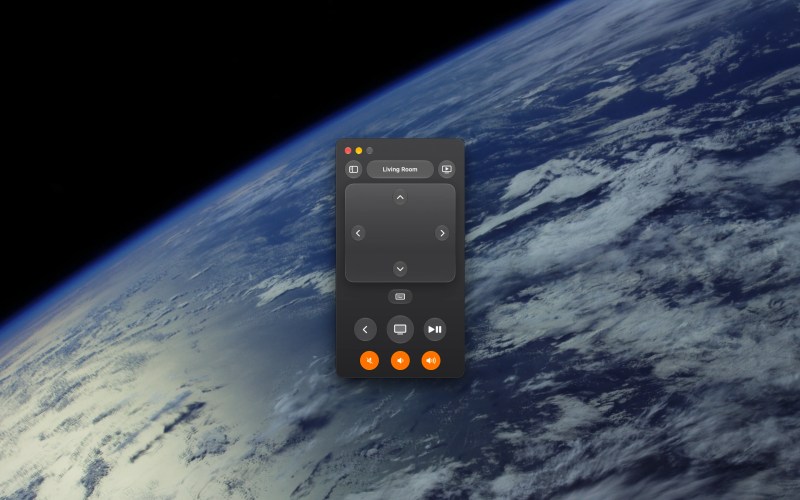
Outside of work (and spending more time outside), iterating on Better Remote has been my main side project this summer. The project started in June.
Second, Better Battery. I adore the look of macOS 27 Golden Gate, but I can’t read the battery indicator with the percentage displayed as well.
Prior to Codex, I’d probably write a blog post as a feature request to flag the issue. Instead, I’ve been able to make my own solution — during the beta period — which others can use for free.

I’ve also been testing ChatGPT Sites with a custom domain to make sharing all of this easier. I initially thought OpenAI’s Sites feature wasn’t really for me.
Publishing Better Remote on the Mac App Store required a web presence, though, which gave me a reason to test the ChatGPT/Codex feature.
Now I’m pretty excited to see where ChatGPT Sites can go from here. OpenAI recently added shared site management tools, and there’s a big opportunity for a more defined interface — like a modern Apple iWeb.
It’s still very early days for these tools, but I find it all very promising and exciting. I haven’t had this much fun using my Mac to make things since GarageBand two decades ago.
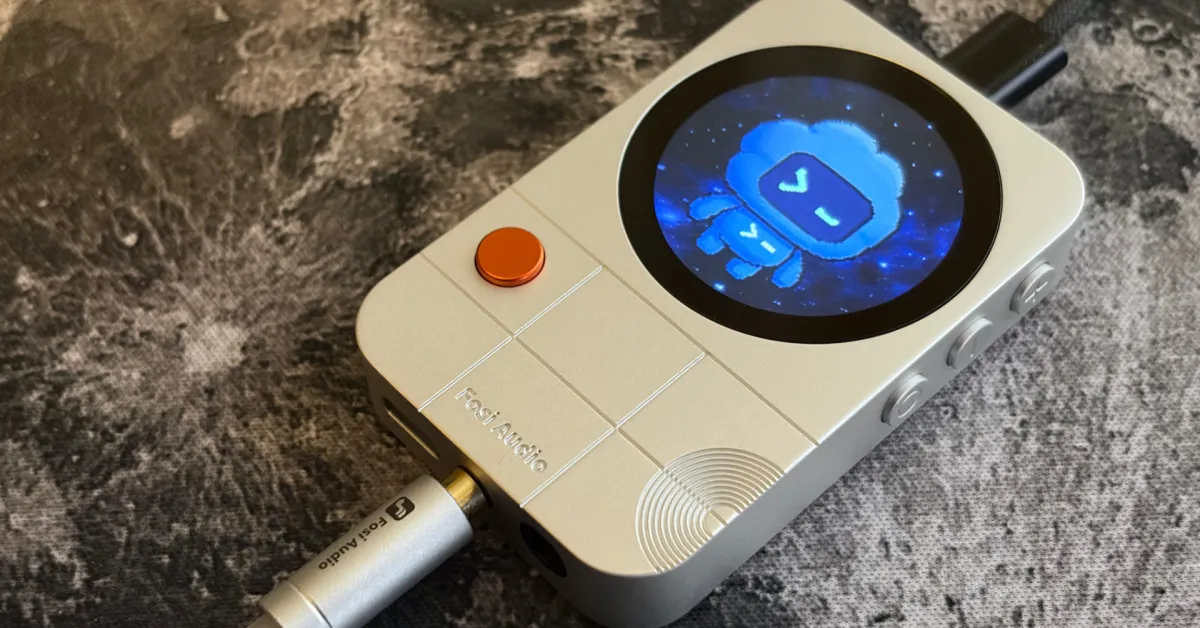
Featured image: Fosi Audio MD3 MagSafe DAC, customized with Codex

9to5Mac is brought to you by Memoket:
Every day, important conversations happen in meetings, on calls, over coffee, and on the go. By the time you sit down at your desk, half the details are gone. And AI tools are only as smart as the context you feed them.
Your iPhone stops recording the moment a call comes in. Your Apple Watch can’t capture what’s happening across the table. Neither connects what was said today to a decision made three weeks ago.
Memoket Gem was built for exactly that gap. An 11g AI wearable that captures conversations with one press and connects them across time. When a topic comes up that you discussed weeks ago, Gem surfaces it automatically with a source link. Everything flows directly into ChatGPT, Claude, Slack, and Notion.
For Apple Watch users, Gem slots into a custom co-wear band alongside your Watch on the same wrist. Two devices, completely unobtrusive.
At 0.4 oz with 20 hours of battery and 153 languages supported, Gem disappears into your day while capturing everything that matters.
Early bird pricing from $179 at memoket.ai. Ships August 2026.